Case study
ApproveHR
Designed and handed off; in active developmentHR for growing Nigerian teams: payroll, attendance, leave and people ops, designed so executives and employees share one system with two clear views.
The scripted part of this conversation carries the verified facts. Live answers only use what's on this site.
Hi, this is ApproveHR, an HR platform I designed as a Studio Doresh client engagement. It covers the employee lifecycle for growing Nigerian teams, with one system that works for executives and for employees. Ask away, or just scroll.
What is ApproveHR?
Thought for 2s
ApproveHR is a full-stack HR platform for growing Nigerian companies. It covers company setup, org structure, payroll configuration, attendance, leave, performance and exit in one connected system. Executives get visibility and approvals. Employees get self-service for their own data, so HR isn't the bottleneck for every request.
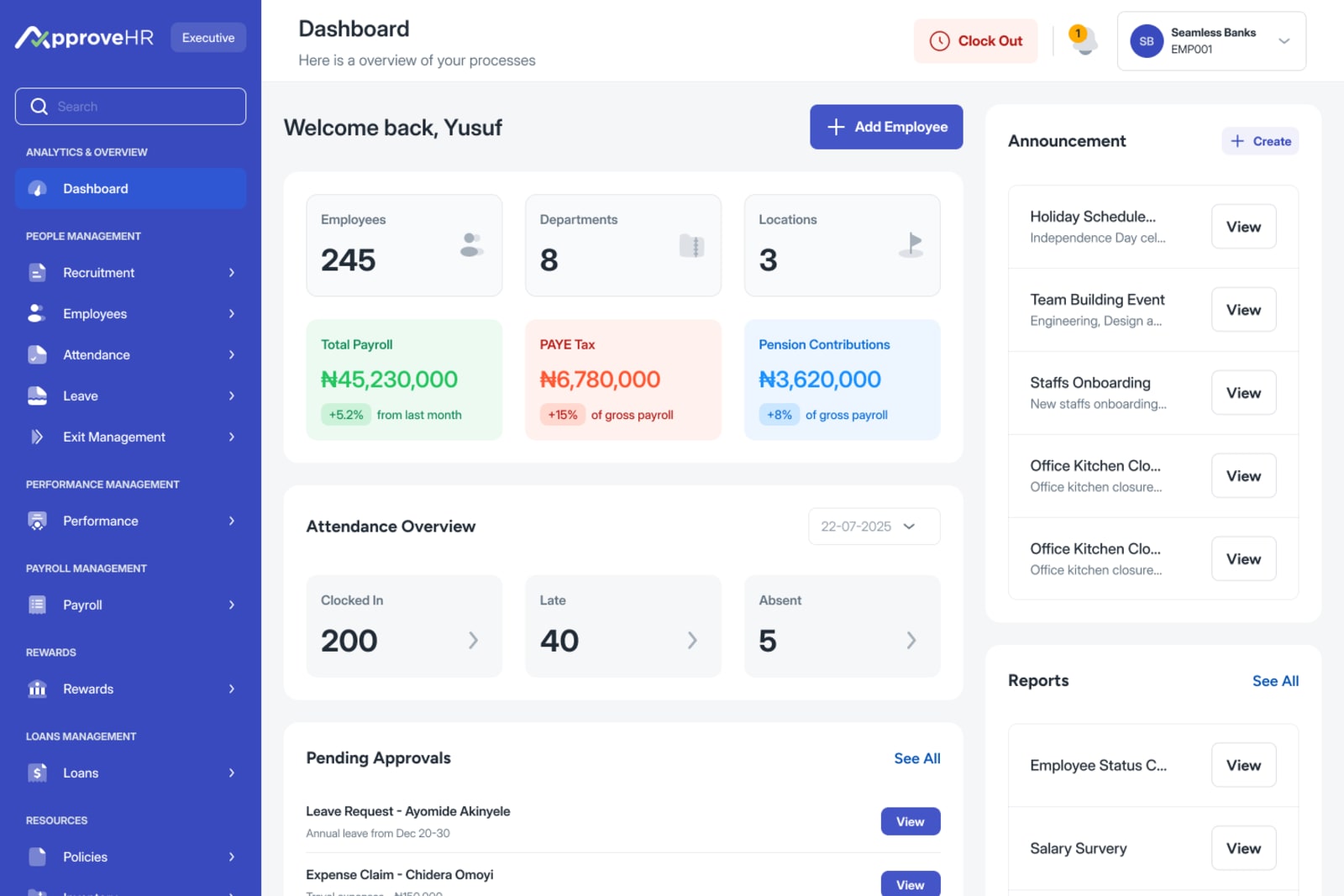
- modules across the HR lifecycle
- 13+modules across the HR lifecycle
- views in every module: executive and employee
- 2views in every module: executive and employee
- setup steps from a blank account to an operational one
- 4setup steps from a blank account to an operational one
What did you do on ApproveHR?
Thought for 3s
I was Product Designer on a contracted Studio Doresh engagement. I owned the information architecture, the component system and every screen across the modules shown here, from company signup and the setup checklist through attendance corrections and leave approvals. I designed the product; engineering is a separate handoff.
- ArchitectureDual-role pattern, sidebar hierarchy and the shared component system.
- ActivationCompany onboarding, inline CAC validation and the four-step setup checklist.
- Day-to-day HRDashboard, attendance (employee and executive) and leave with team-aware approvals.
What was broken about HR tools for these teams?
Thought for 4s
Teams at roughly 20–500 people were running payroll in Excel, leave in shared sheets and attendance on paper. Foreign HR tools treat Nigerian defaults (PAYE, NHF, pension, CAC) as edge cases. Worse, most products are built for HR or for employees, not both, so one side still keeps a spreadsheet.
Then · Before
Spreadsheets, WhatsApp and paper for payroll, leave and attendance. Employees chase HR for every payslip and correction.
Now · With ApproveHR
One platform with Nigerian statutory defaults, and every module split cleanly into executive and employee self-service views.
What was the big design idea?
Thought for 2s
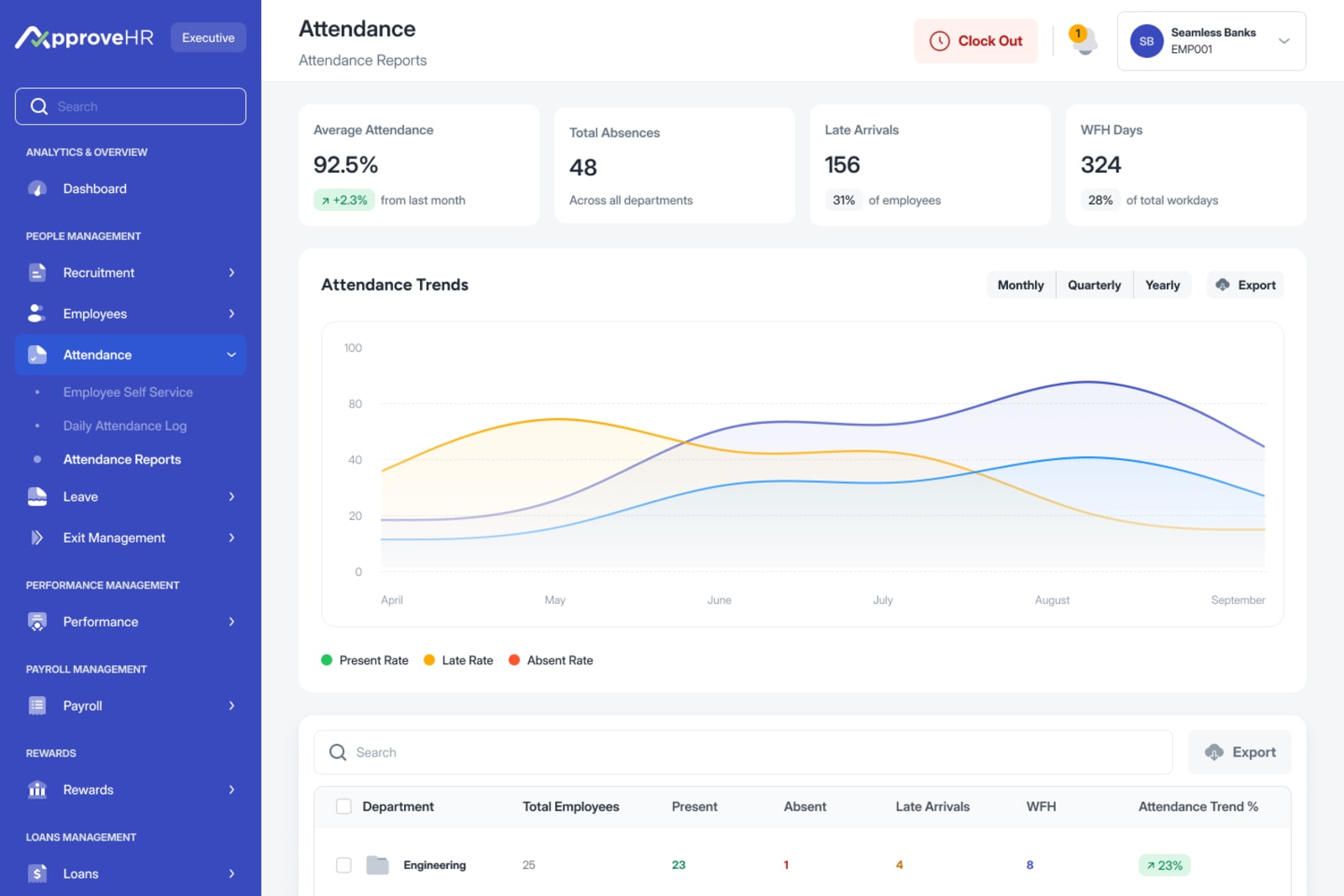
Every module has to work at two levels at once. Attendance is the clearest example: an employee clocks in and corrects their own day; an executive sees the full daily log and approves corrections. Same data, different scope. I designed a consistent dual-role pattern: same sidebar, different controls and data. The logic stays the same whichever module you're in.
Shared sidebar and navigation for both roles
["Shared sidebar and navigation for both roles","Full visibility, approvals and management actions","Personal data and self-initiated actions only"]“These aren't different features. They're different views of the same data.”
Dual-role pattern on ApproveHR
How does a company get started?
Thought for 3s
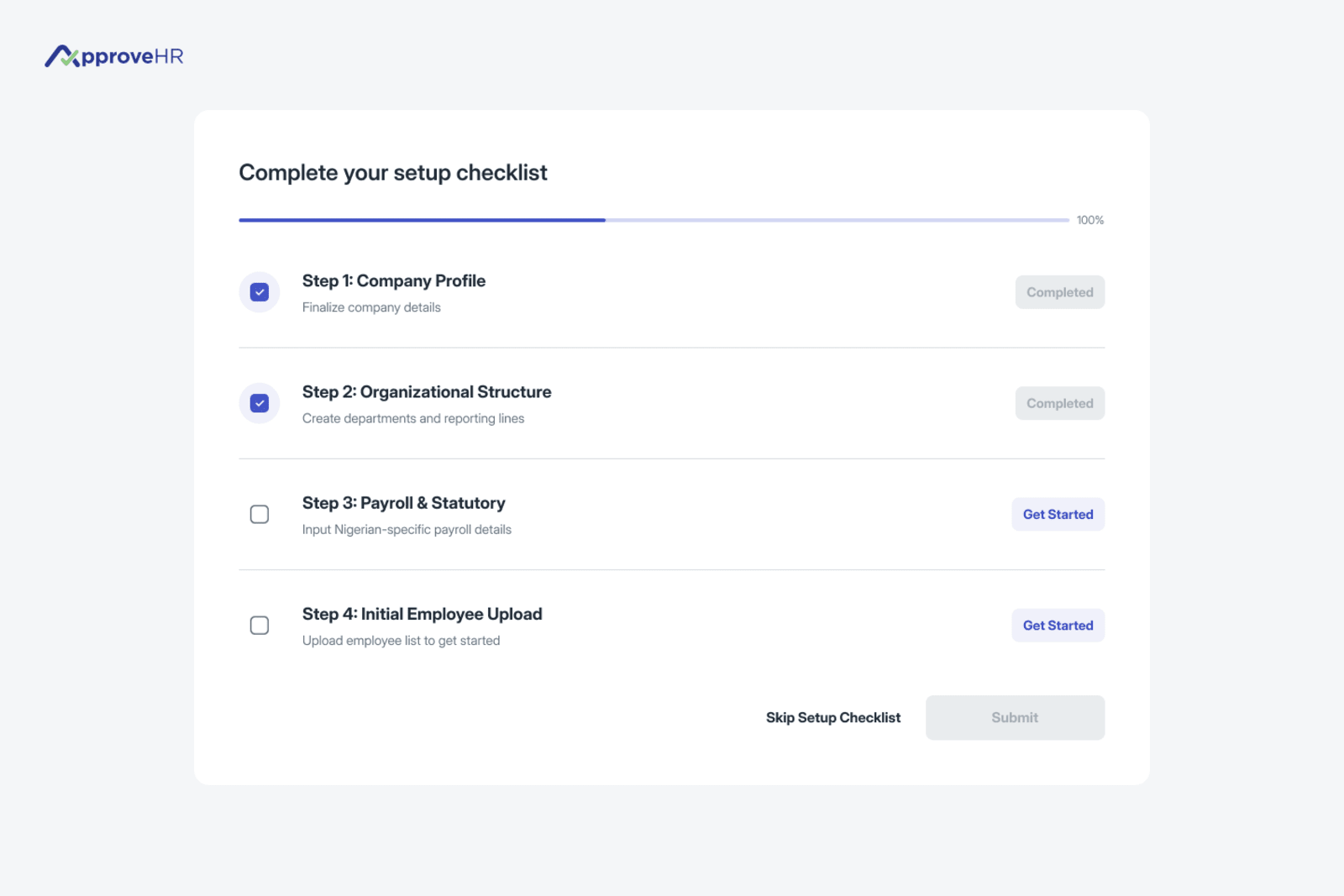
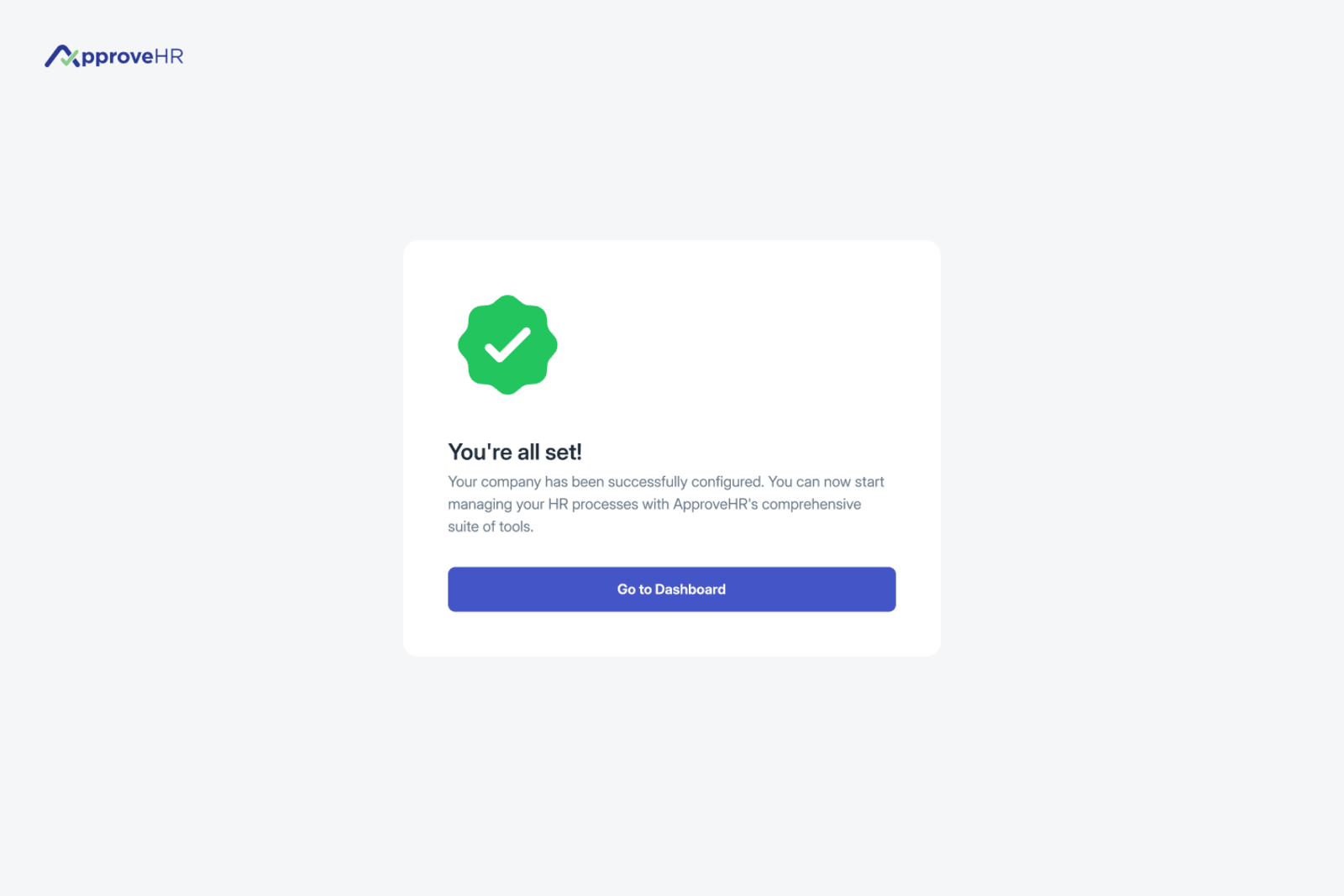
Onboarding is two parts: company setup (CAC, TIN, address, industry) then admin account creation. Validation is specific: already registered, invalid CAC format, not a blank "required" wall. After that, a four-step setup checklist takes them from blank to operational. The dashboard is usable immediately; a setup banner stays until the checklist is done.
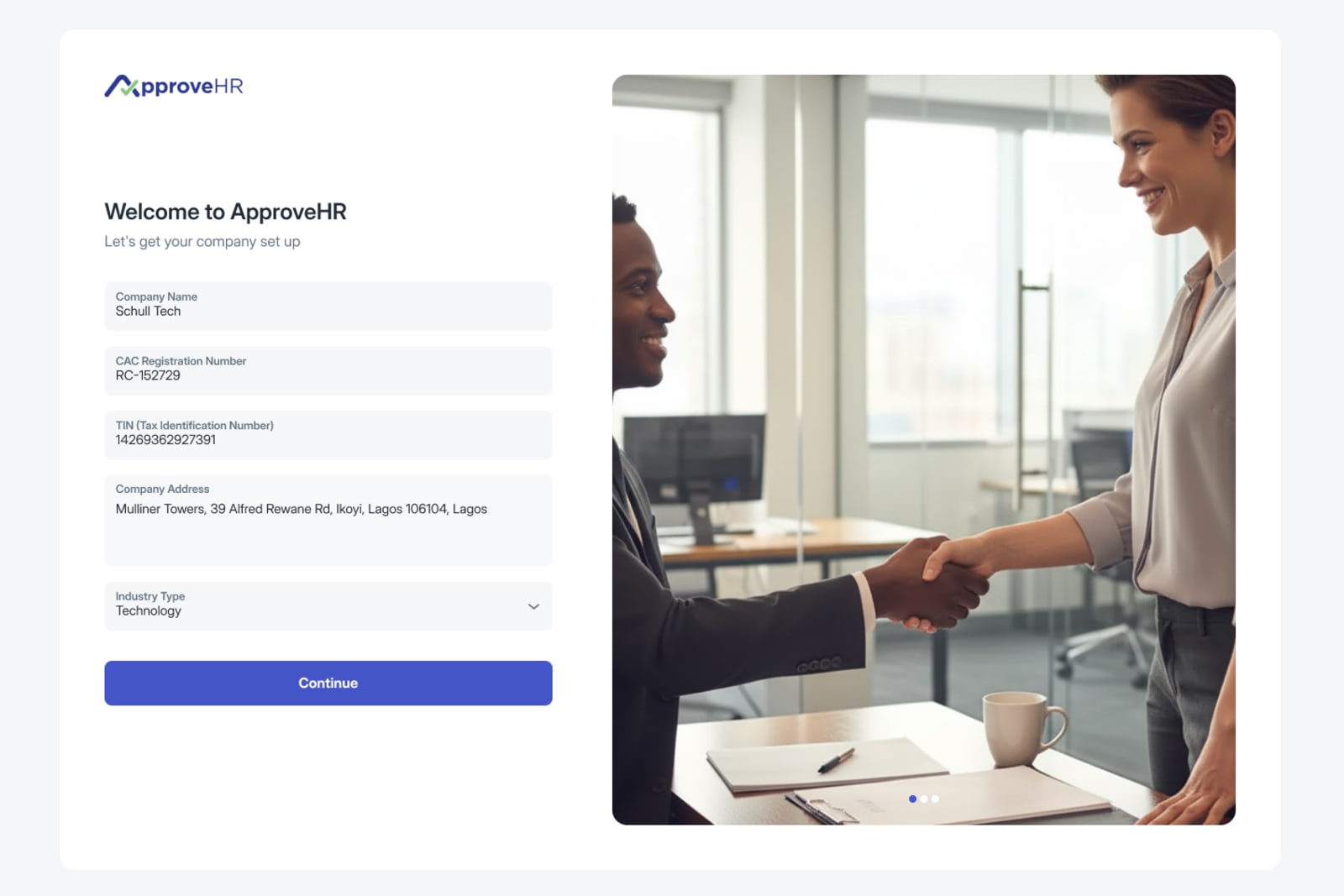
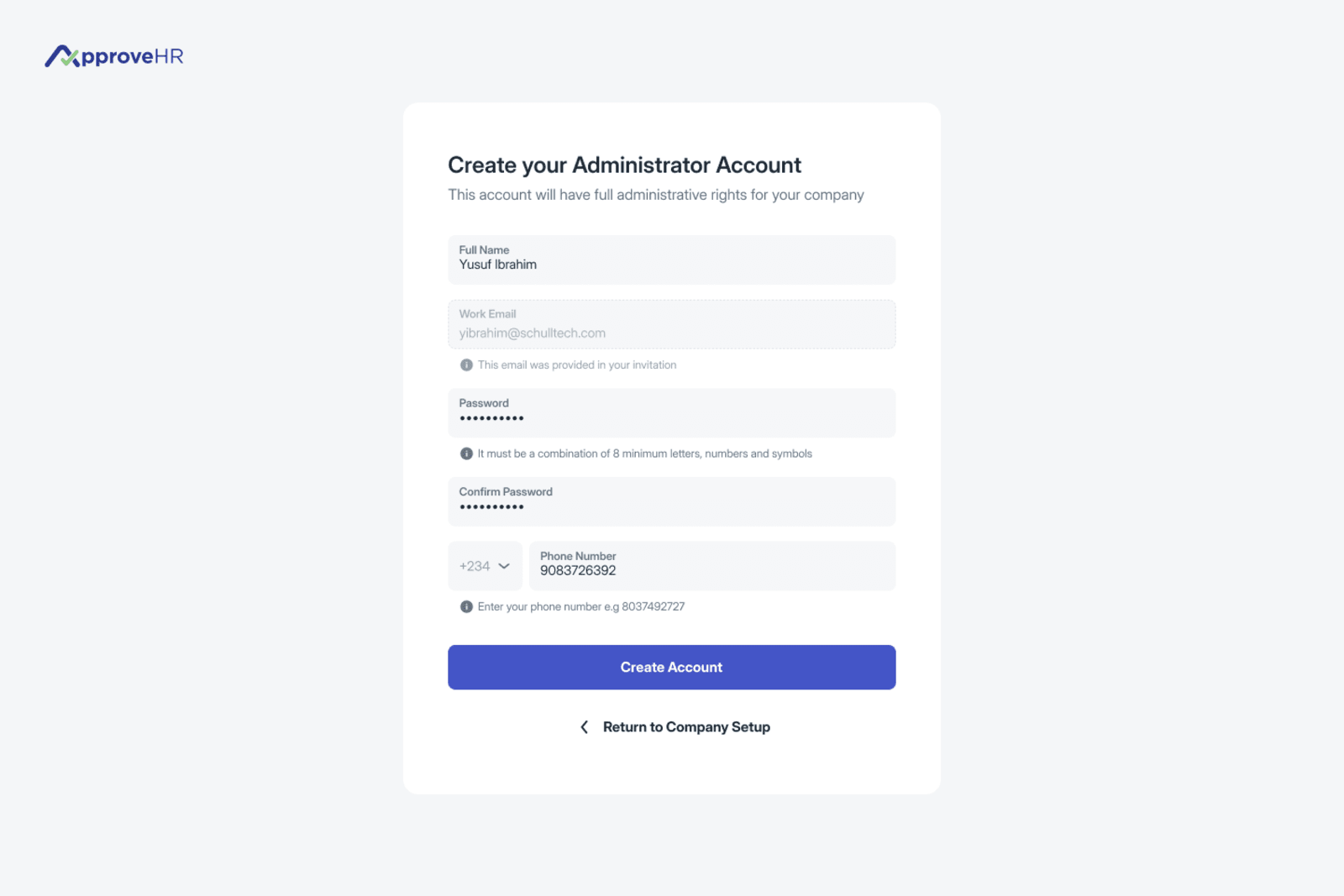
Explain more
The four checklist steps cover company profile, org structure, payroll and statutory details, and the initial employee list. Each step unlocks the next, and companies can return to unfinished items.
What does the executive dashboard do?
Thought for 4s
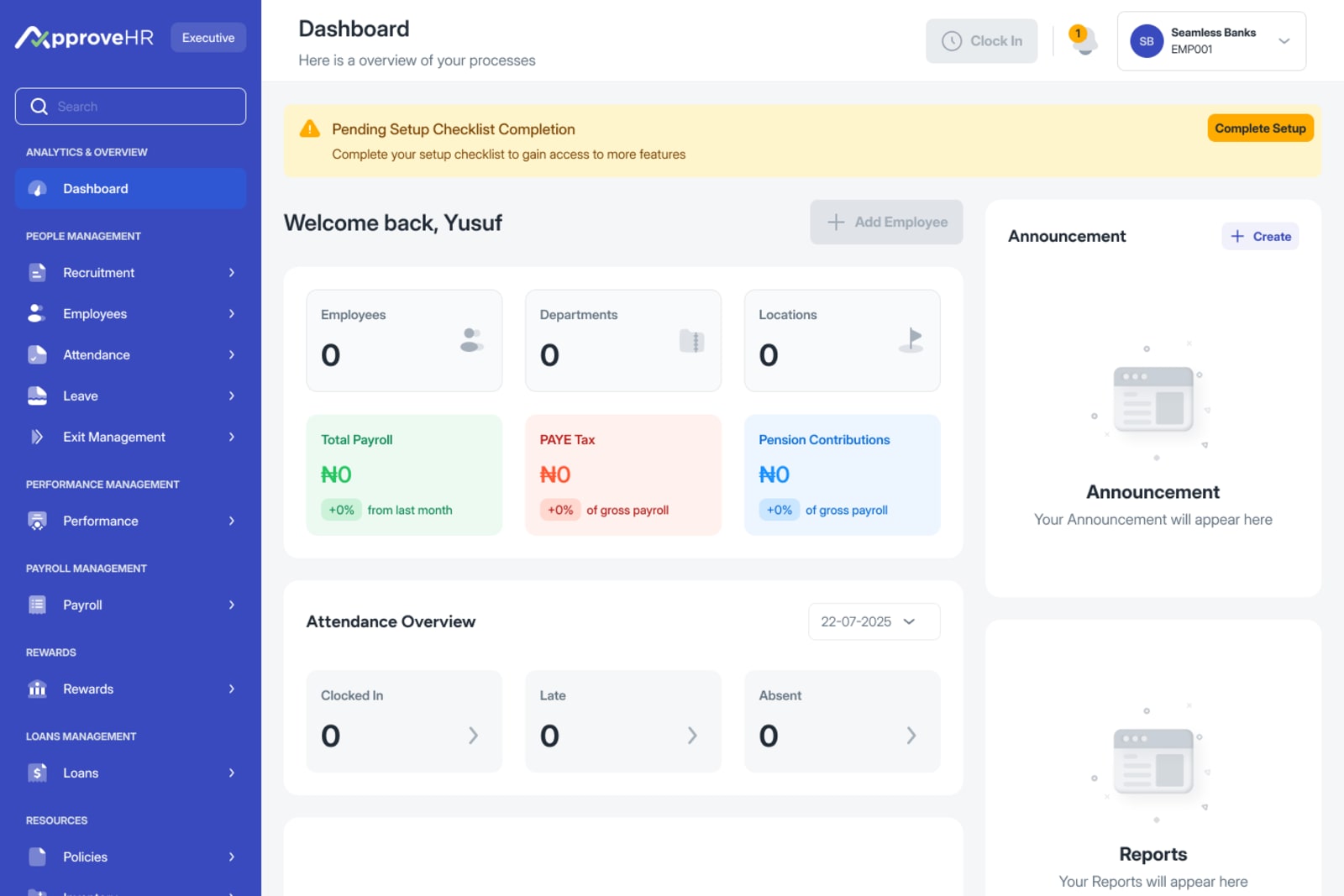
It's the command centre for today: attendance metrics, a pending-approvals queue (leave and expenses together), announcements and reports. I designed an empty state that still teaches the product (setup banner and guided placeholders) and a populated state that surfaces work. A multi-account switcher lets admins move between companies without logging out.
How does attendance work for employees?
Thought for 2s
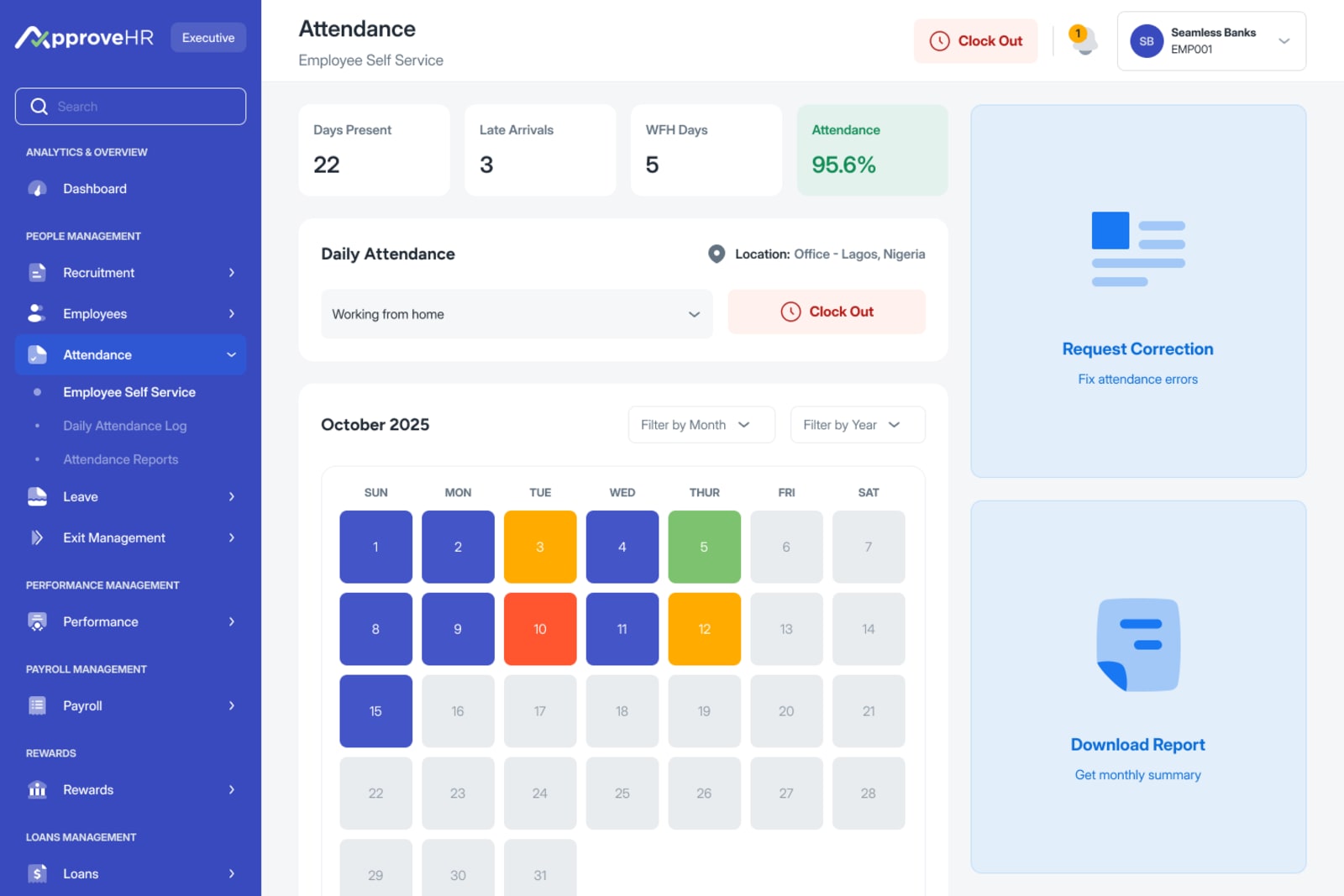
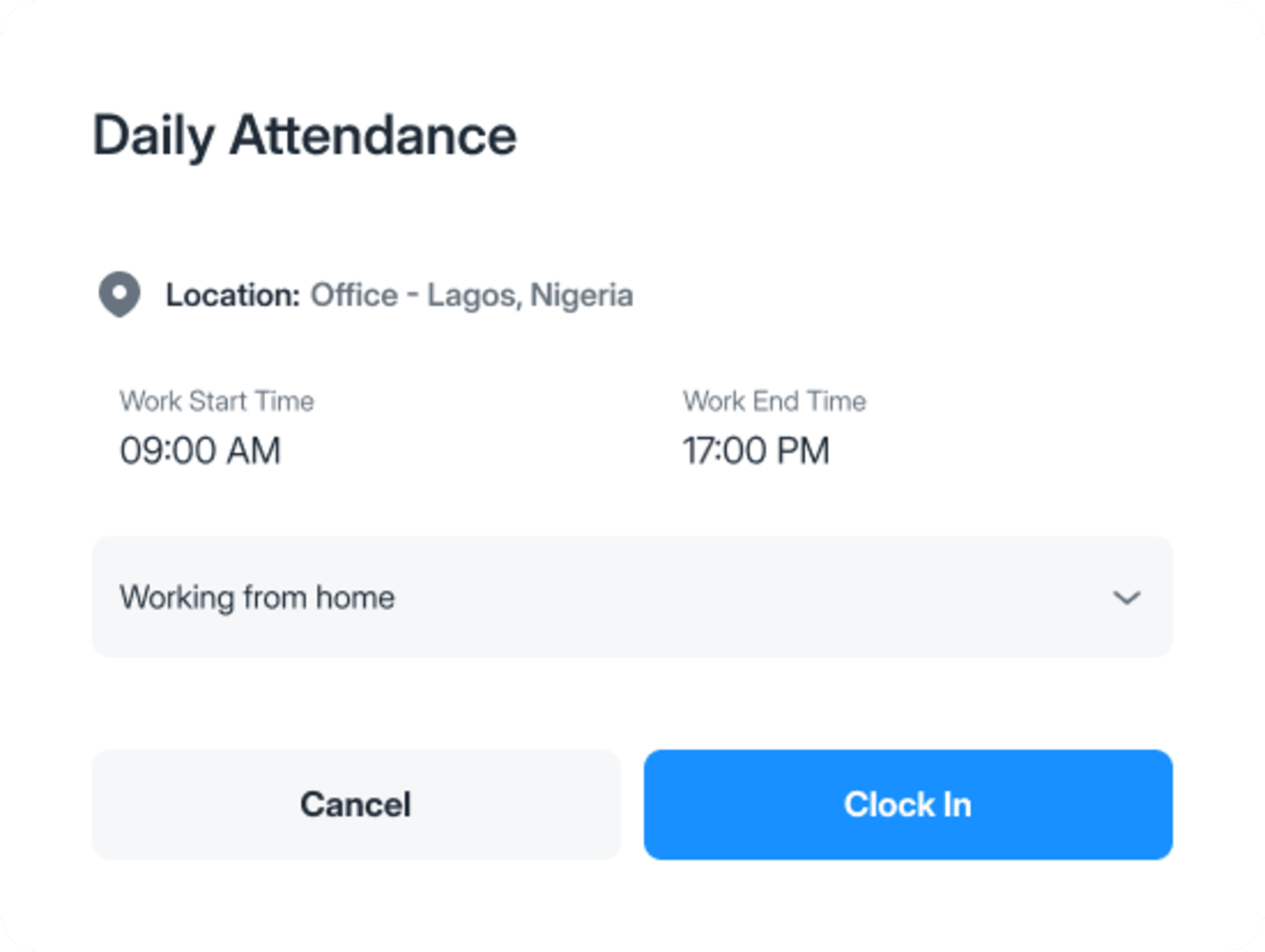
Employees see their own metrics: days present, late arrivals, WFH days and attendance percentage, plus a monthly calendar colour-coded by status. Clock-in opens a modal with work location, hours and Office vs Work From Home. If a day looks wrong, they submit a correction request with a reason and optional evidence, without cornering a manager in the hallway.
What do executives see in attendance?
Thought for 3s
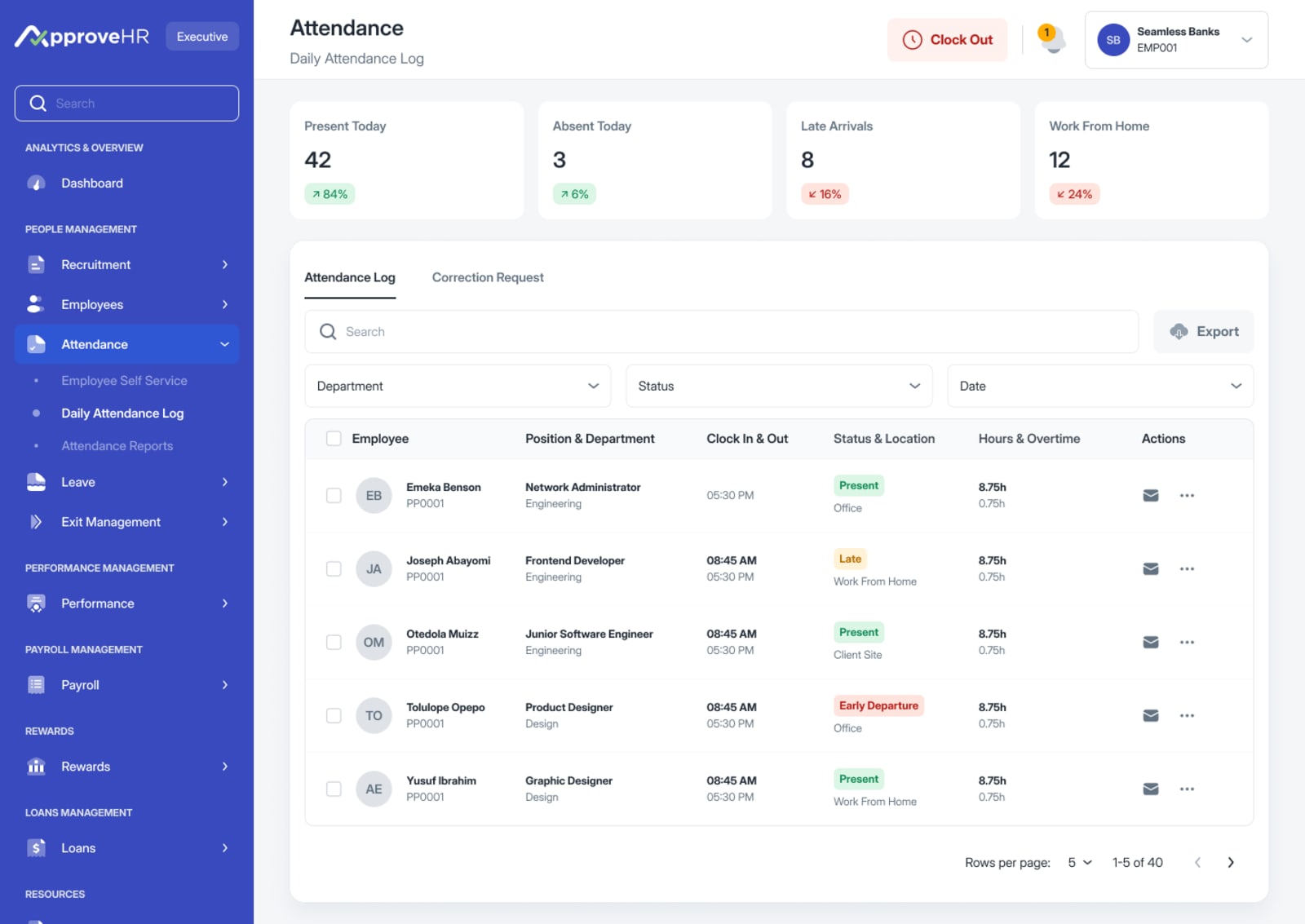
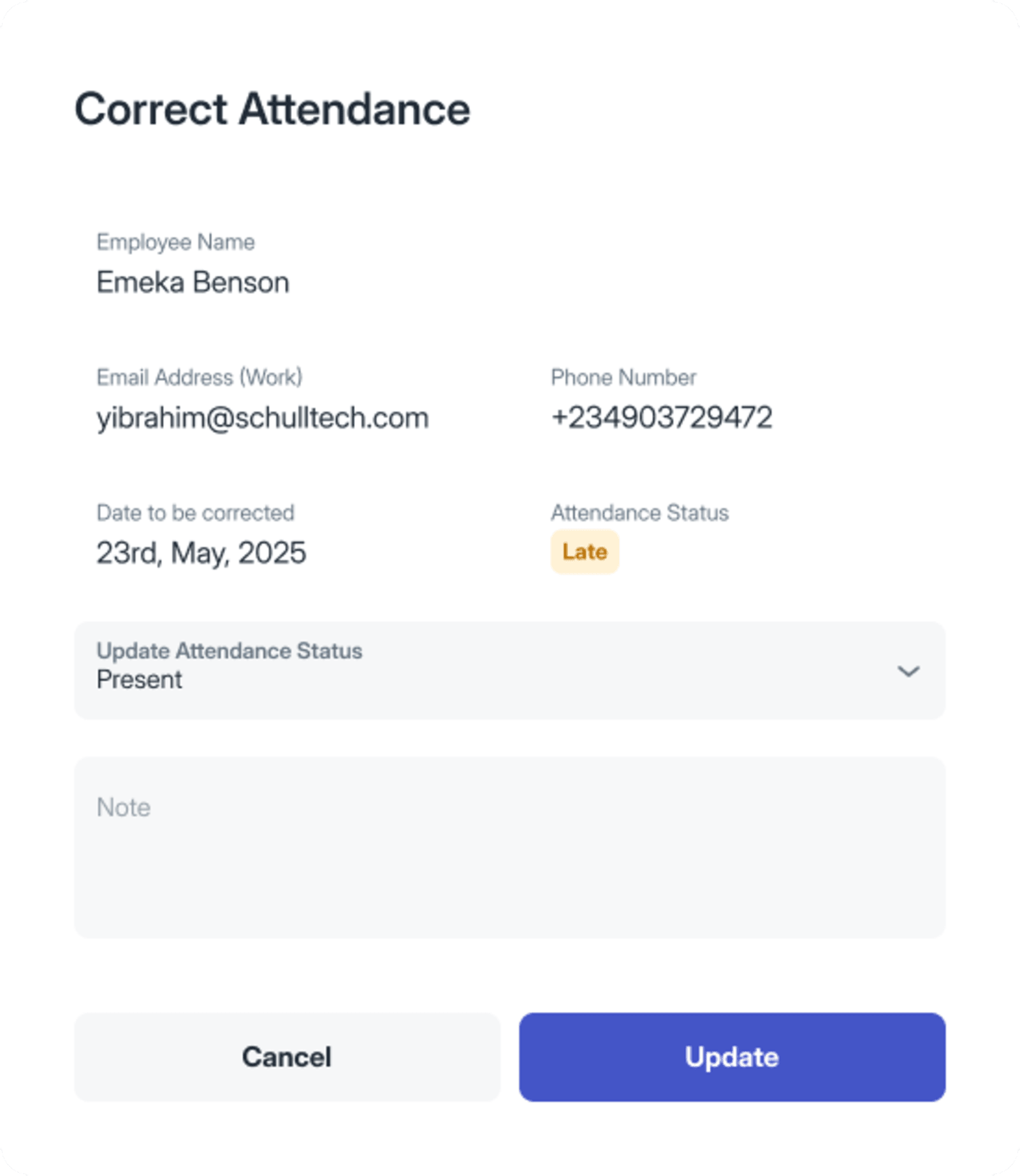
Executives get the daily log across departments: clock-in time, location, status and hours, filterable by department and date. Correction requests open in a slide-over with the employee's context so a manager can correct status in one action. Every request stays Pending, Corrected or Declined, so nobody is left guessing.
How does leave management work?
Thought for 4s
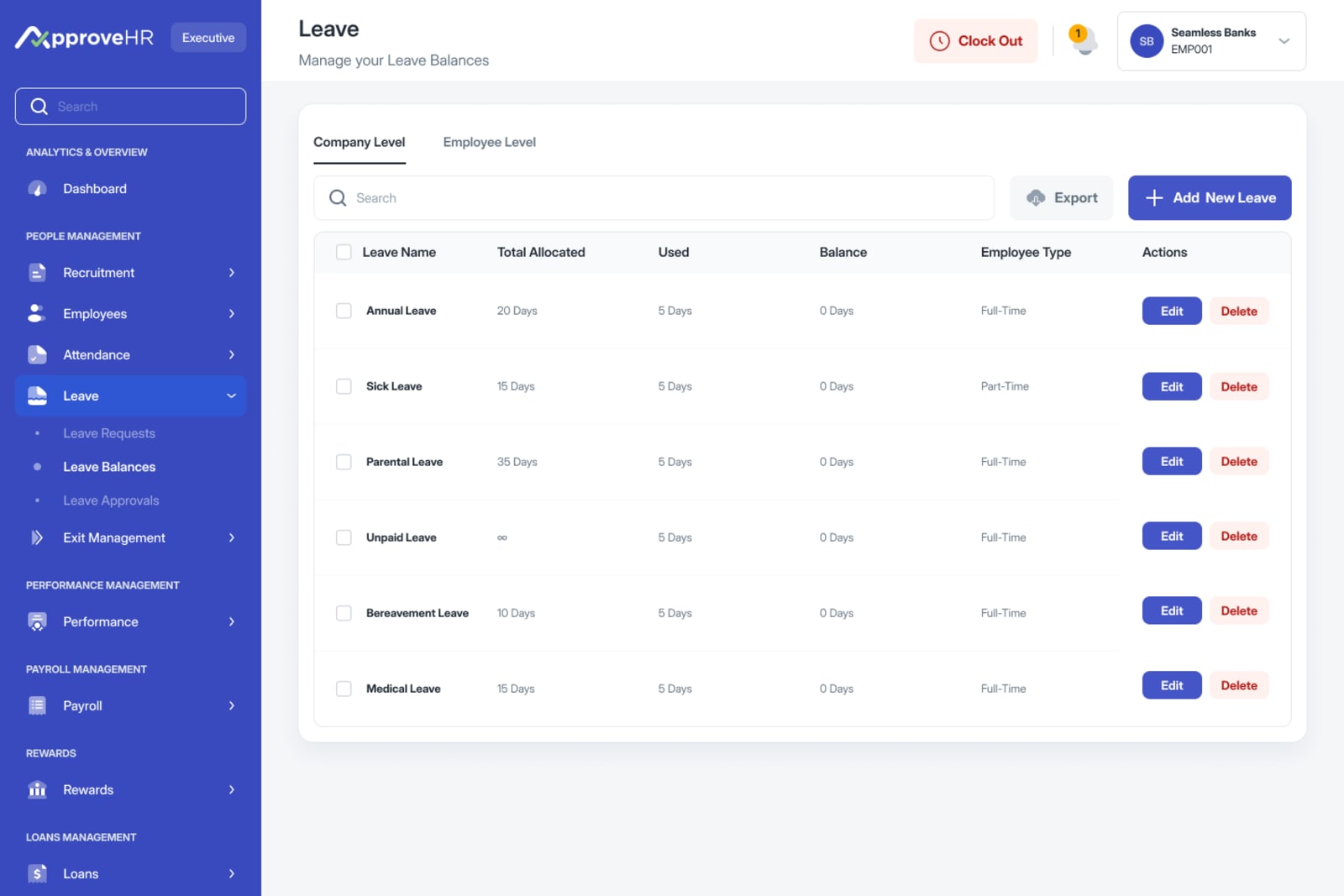
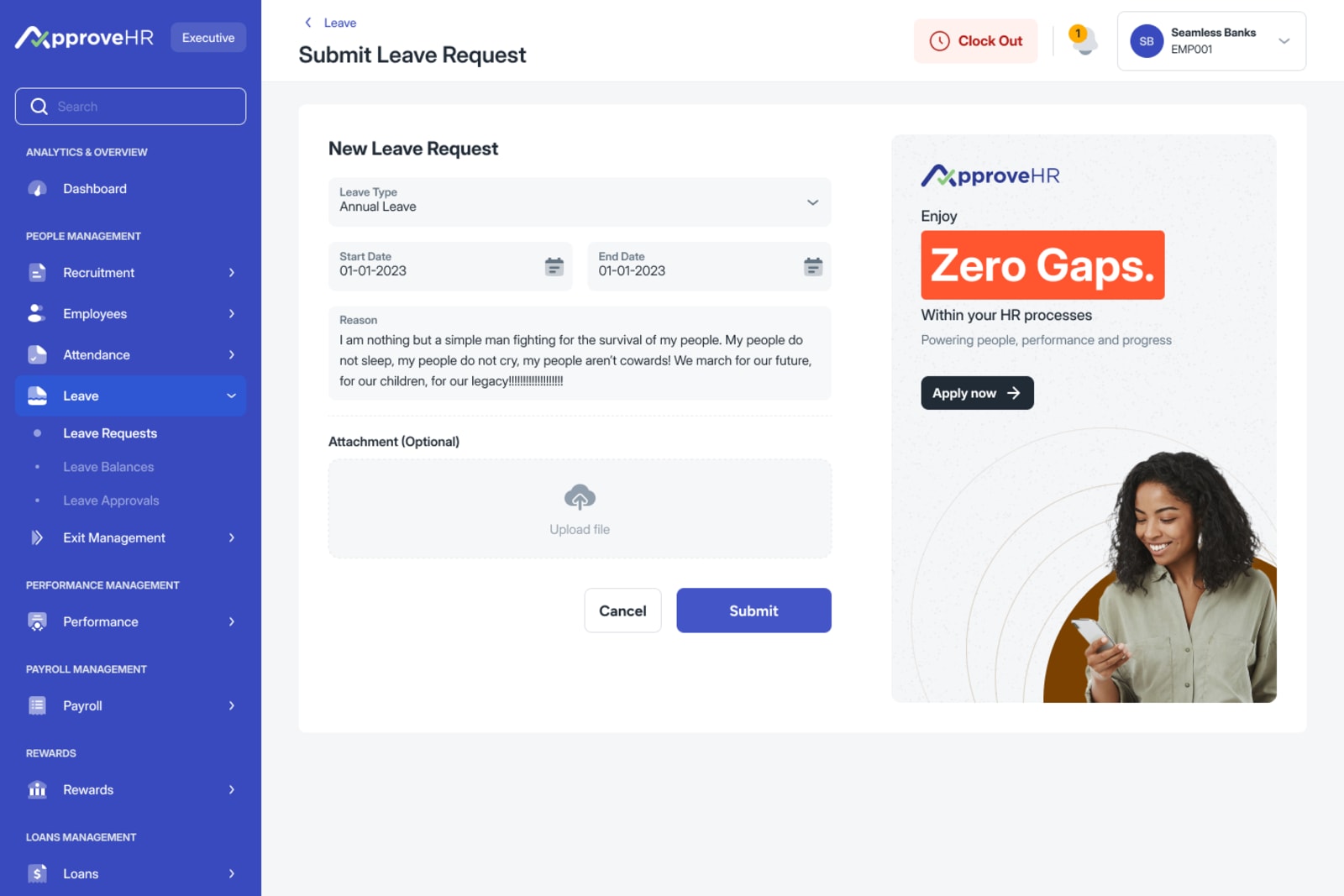
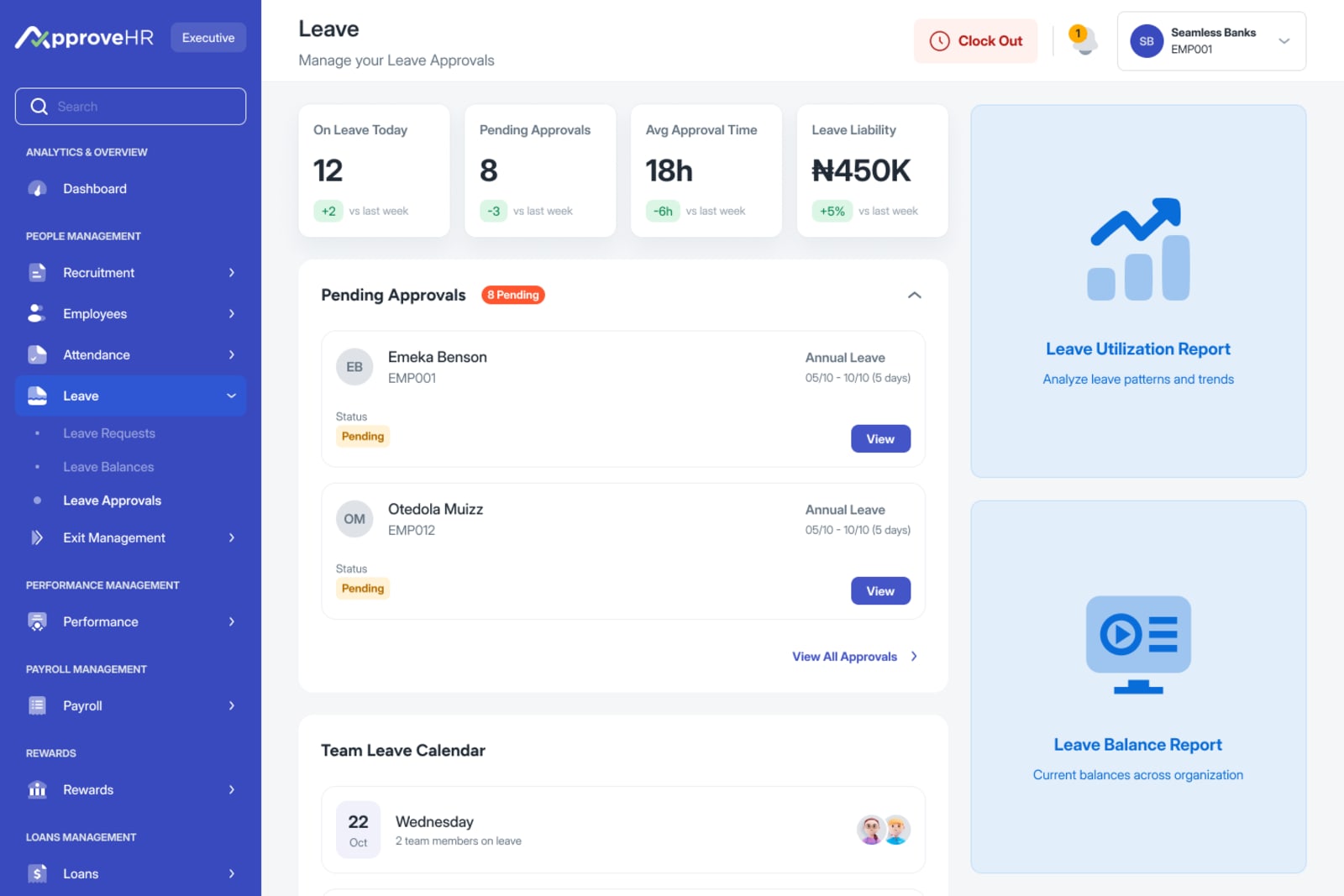
Leave has the most states. HR runs the leave type catalogue (Annual, Sick, Parental, Bereavement, Medical) with allocated days. Employees see balances, submit requests with docs and track status. For executives, Approvals combine a pending queue with a live team calendar, so you approve with team capacity in view, not a request in isolation.
Is that the whole product?
Thought for 2s
No. The screens here cover onboarding, dashboard, attendance and leave. The full design handoff also includes employee directory, recruitment, payroll with Nigerian statutory deductions (PAYE, NHF, pension), rewards, loans, exit and clearance, performance, policies and inventory, plus settings and an audit log. Those modules were designed; they aren't pictured here.
- Shown in this studyOnboarding, dashboard, attendance (both roles) and leave.
- Designed, not picturedDirectory, recruitment, payroll, rewards, loans, exit, performance, policies, settings and audit.
- StatusDesigned and handed off; product in active development at approvehr.io.
What did ApproveHR teach you?
Thought for 3s
Designing for two users in one flow is harder than shipping two products. The dual-role pattern worked because it was a system, not a feature. On a product this size, the sidebar and component set matter more than any single hero screen. Nigerian compliance isn't a bolt-on: PAYE, NHF and pension belong in payroll from the first screen, not retrofitted later.
- Commit to the patternDual-role as architecture keeps 13 modules coherent.
- Navigation is the skeletonWhen the sidebar hierarchy is right, every screen is easier.
- Empty states are first impressionsDesign them as product moments, not leftovers.
- Local defaults firstNigerian statutory rules belong in the core, not in a later patch.
Thinking
The scripted part of this conversation carries the verified facts. Live answers only use what's on this site.