Case study
Loola
Pre-launchA QA platform that puts test management, quality and risk scanning, and regulatory compliance in one loop, with AI that drafts test cases for people to review.
The scripted part of this conversation carries the verified facts. Live answers only use what's on this site.
Hi, this is Loola, a QA platform I designed for The Bug Detective through Studio Doresh. It's in pre-launch. Ask about anything, or just scroll.
What is Loola?
Thought for 2s
Loola is a QA platform that puts three jobs most teams spread across tools into one product: test management, quality and risk scanning, and regulatory compliance. Its line is "Quality, on loop": findings from a scan flow back into the tests, and the tests feed the compliance picture. It's a product of The Bug Detective, and it's in pre-launch, with early access open at withloola.com.
- pillars: test management, quality and risk, compliance
- 3pillars: test management, quality and risk, compliance
- product screens designed
- 75product screens designed
- design system shared by every screen
- 1design system shared by every screen
What did you do on Loola?
Thought for 3s
Loola is a Studio Doresh client, and I worked on it from July to August 2026. I designed the product: the information architecture across the three pillars and every flow from sign-up to evidence package. The logo already existed; from it I created the full design system the screens are built from. Engineering is The Bug Detective's. The screens use sample workspaces and companies to look real; none of them are Loola's customers.
What problem is Loola built for?
Thought for 4s
Quality work in a growing software team usually lives in three disconnected places: test cases in a spreadsheet or a dedicated tool, security scans in another, and compliance as a checklist someone fills in before an audit. Each one knows nothing about the others, so a failed scan doesn't become a test, and a passing test suite says nothing about regulatory risk. For Nigerian fintechs, that last gap carries real penalties.
Then · Usually
Test cases in one tool, scans in another, compliance in a spreadsheet before the audit. Nothing connects.
Now · With Loola
One workspace where scan findings become tests, and tests and scans feed a compliance posture you can hand to an auditor.
Why put three products in one?
Thought for 2s
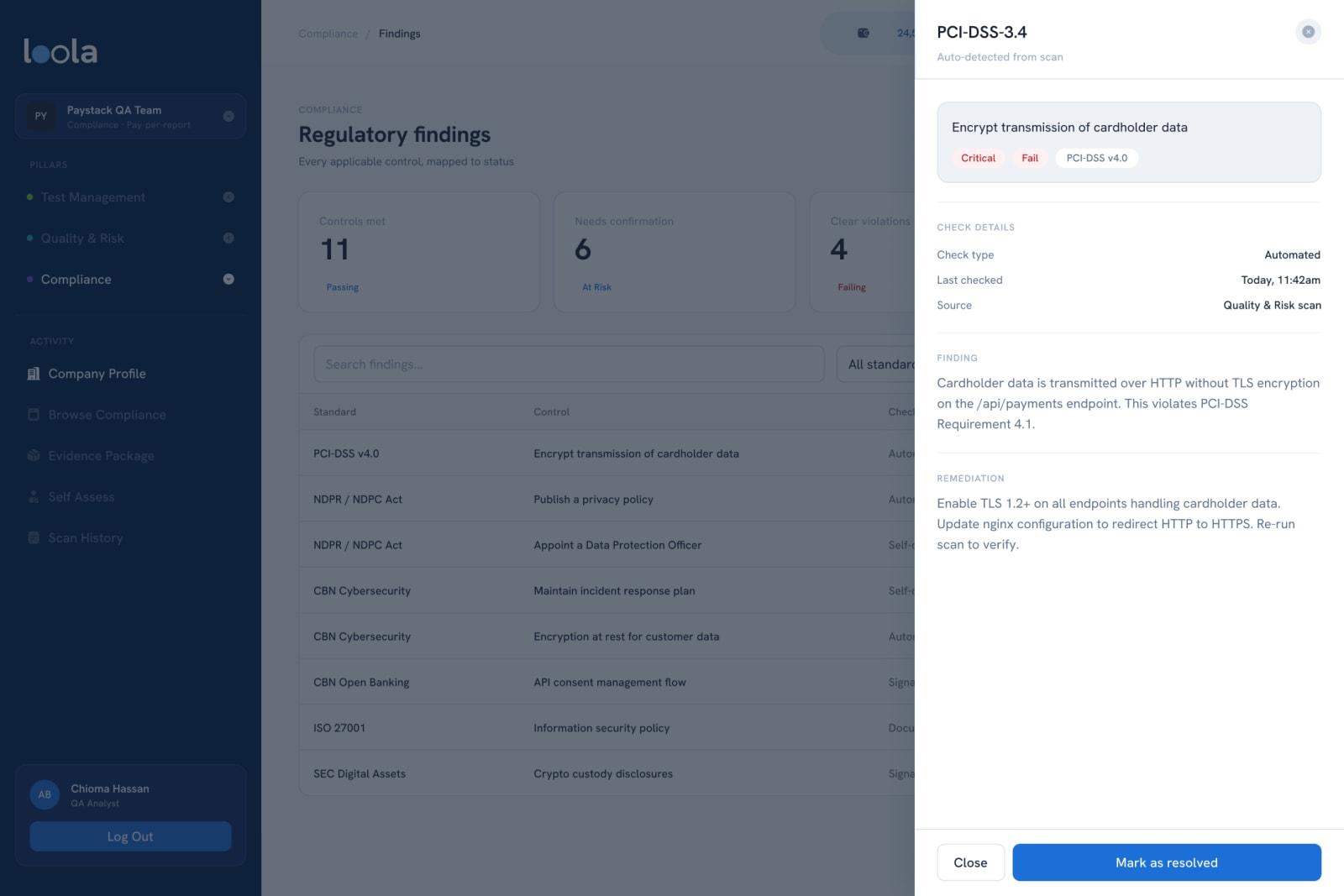
Because the value is in the connections. A scan finds an unencrypted payments endpoint; Send findings to Test Management turns it into tracked work; the next scan confirms the fix; the compliance view shows PCI-DSS moving from failing to passing. I gave the three pillars one sidebar and one visual language, so moving between them feels like changing views of the same product, not switching apps.
Quality, risk, security and compliance checks run against a URL, an APK or an API spec.
["Quality, risk, security and compliance checks run against a URL, an APK or an API spec.","Findings go to Test Management as tracked work, linked to the test cases they affect.","Coverage, pass rates and defects show whether the fix holds.","Compliance maps the results to the regulations that apply, ready for an auditor."]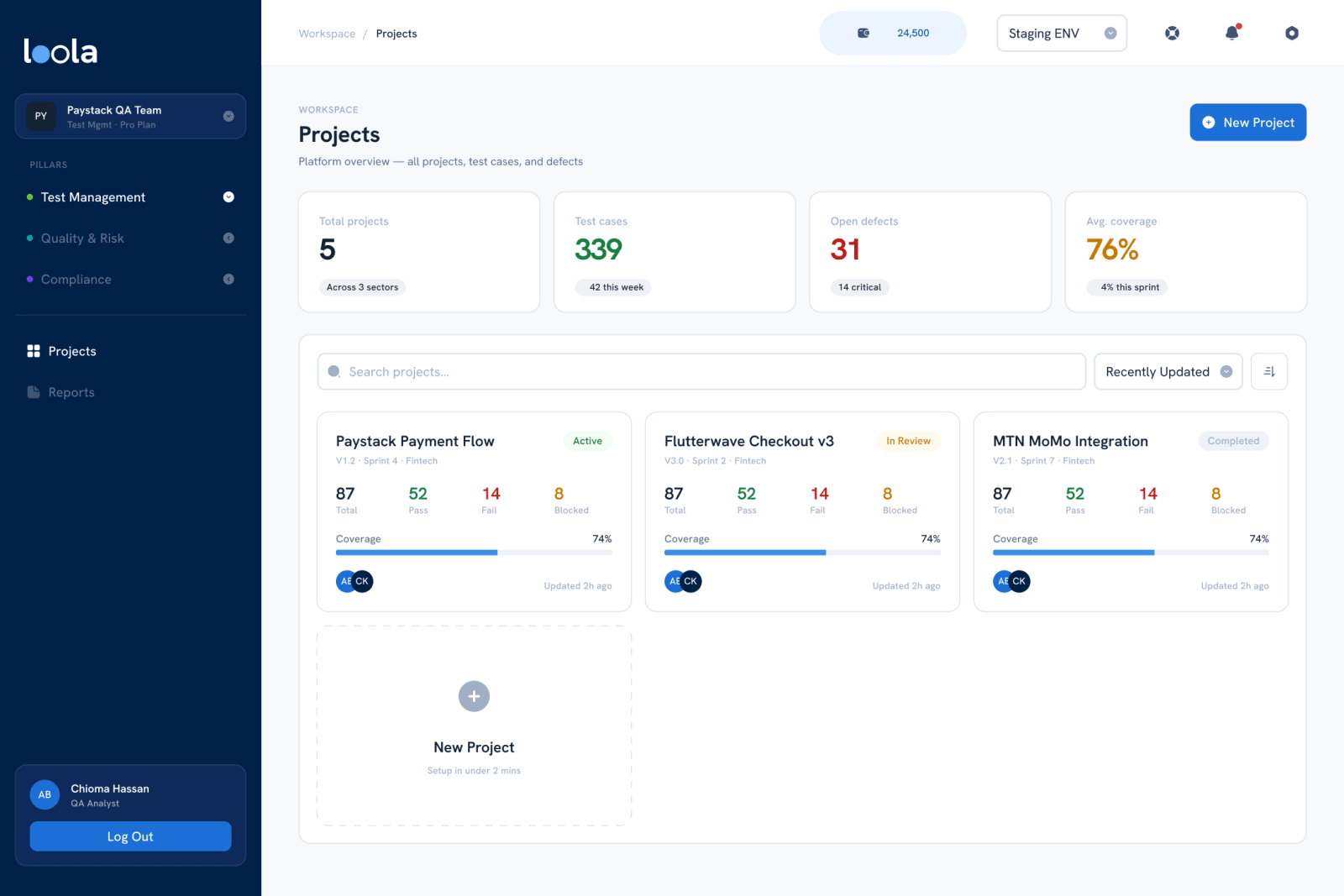
How does a team get started?
Thought for 3s
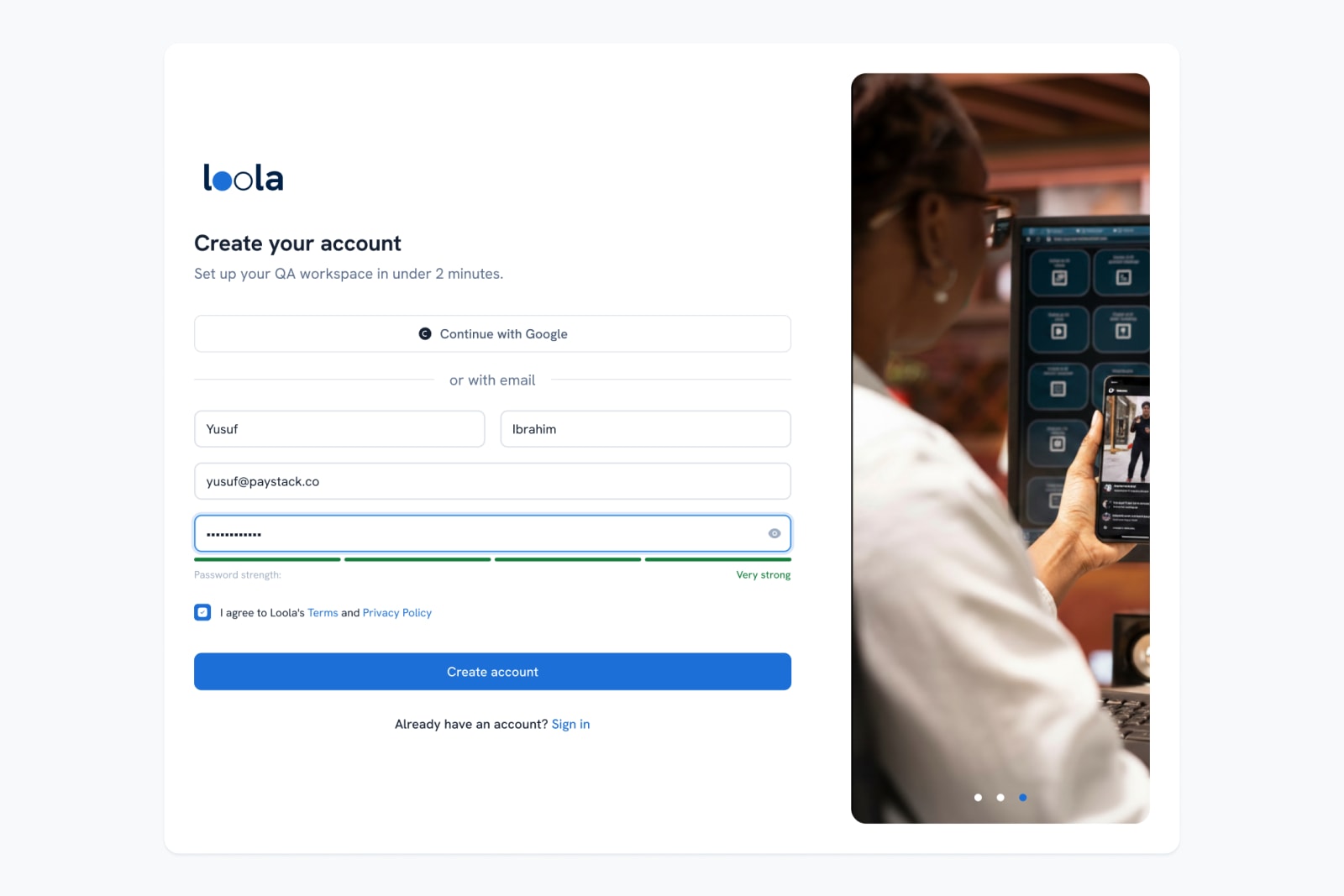
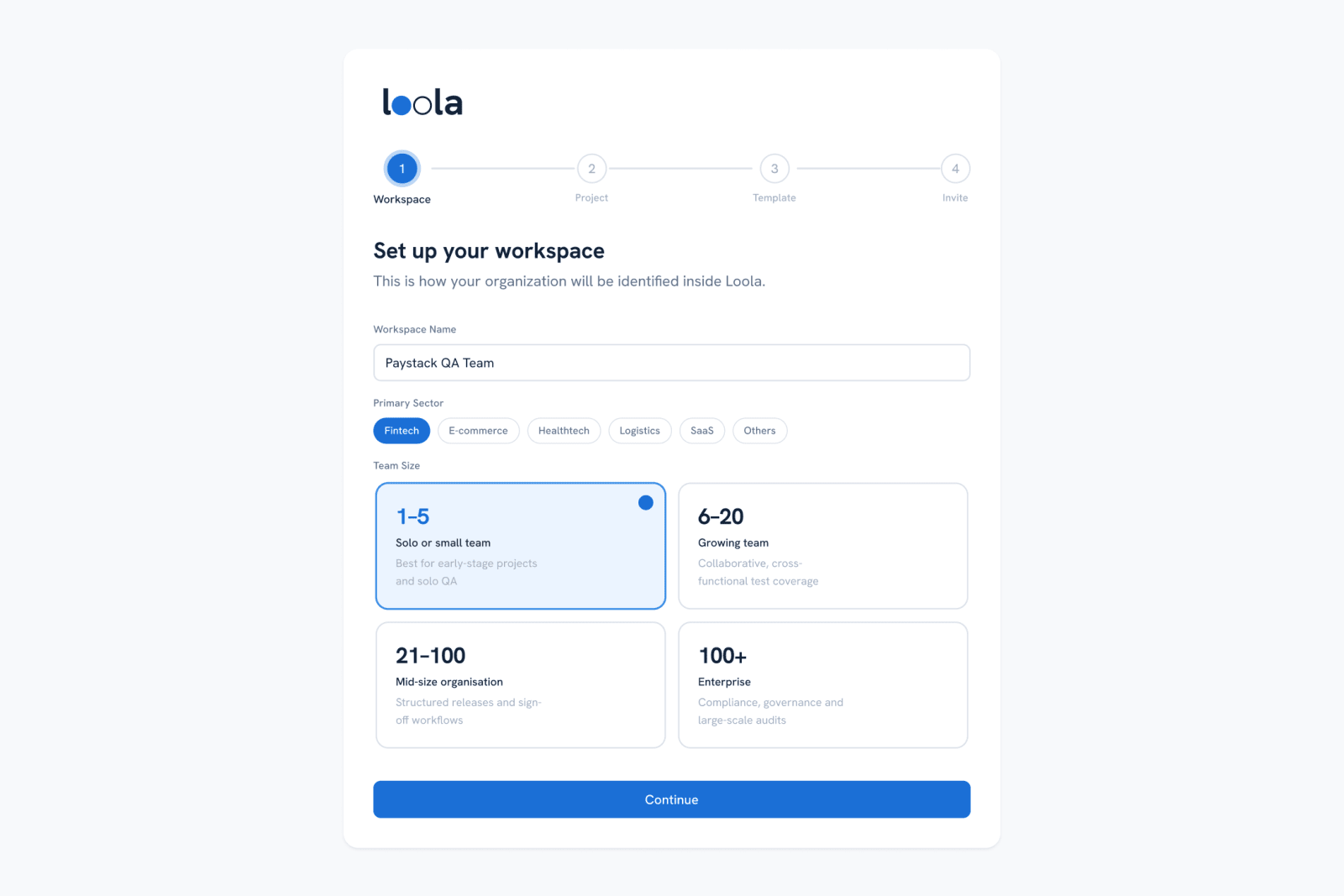
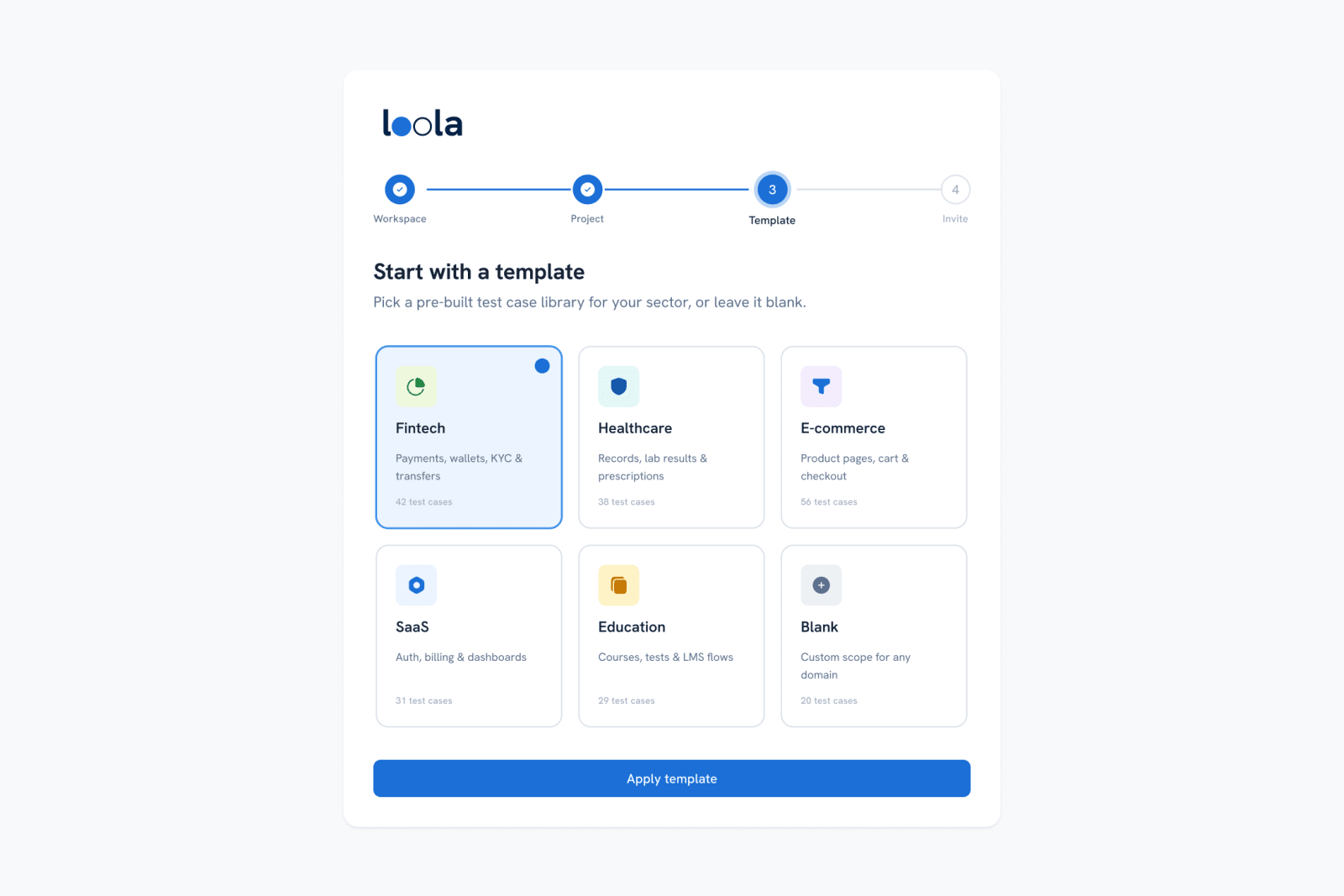
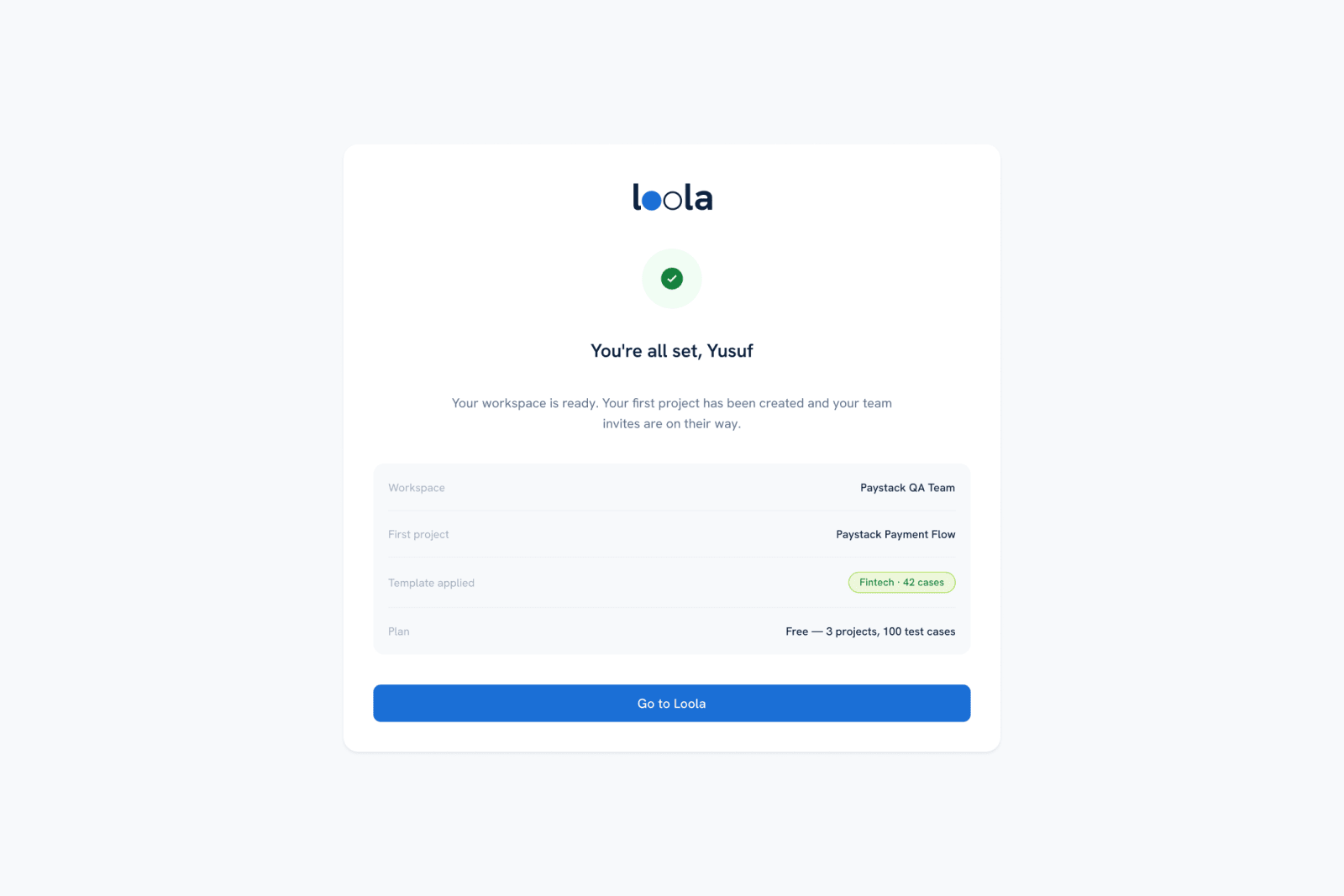
Sign-up runs straight into a four-step setup: name the workspace and its sector, create the first project, pick a sector template, and invite the team. The templates are pre-built test case libraries for fintech, healthcare, e-commerce, SaaS and education, so a fintech team starts with payment, wallet and KYC cases instead of a blank page.
Where does AI come in?
Thought for 4s
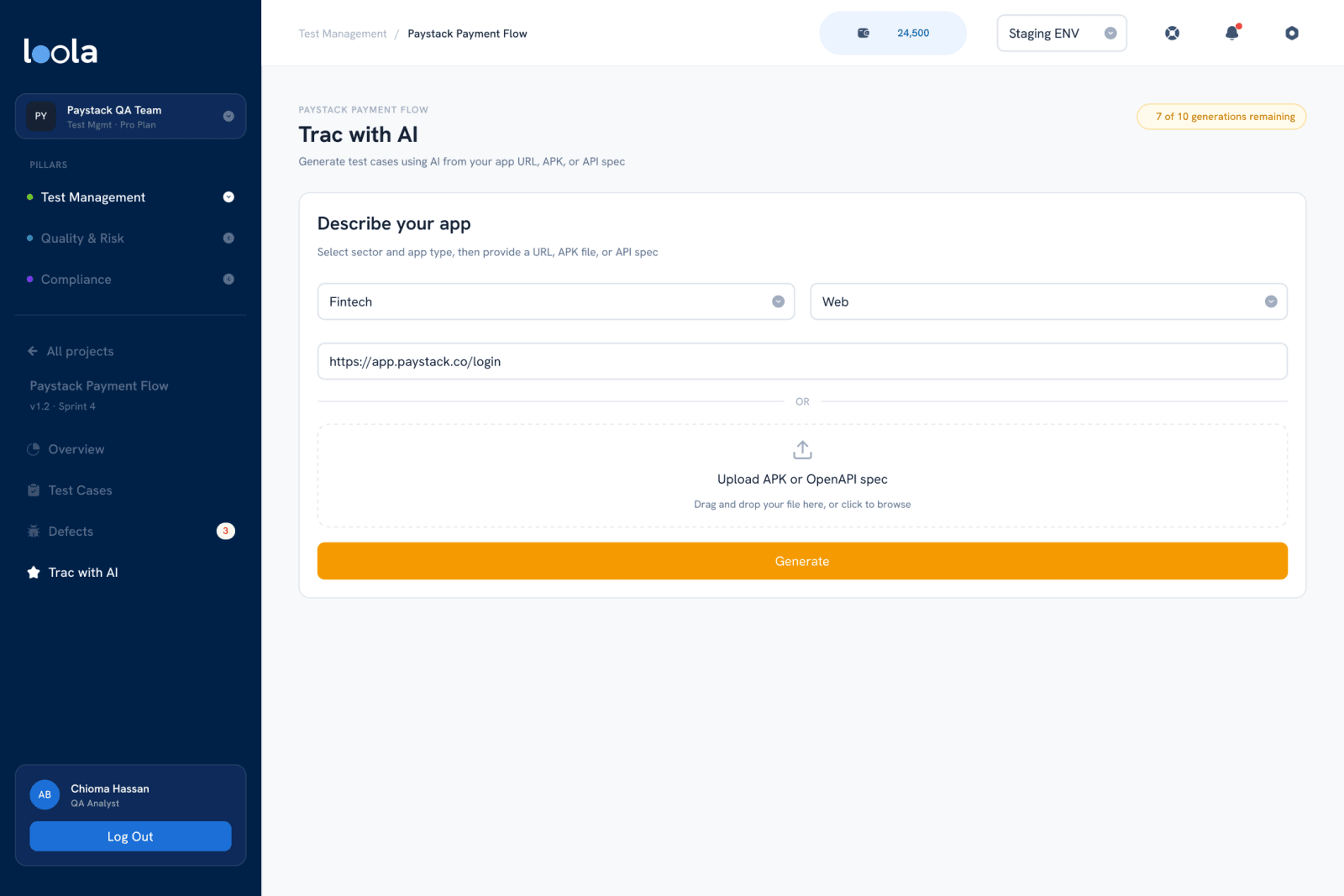
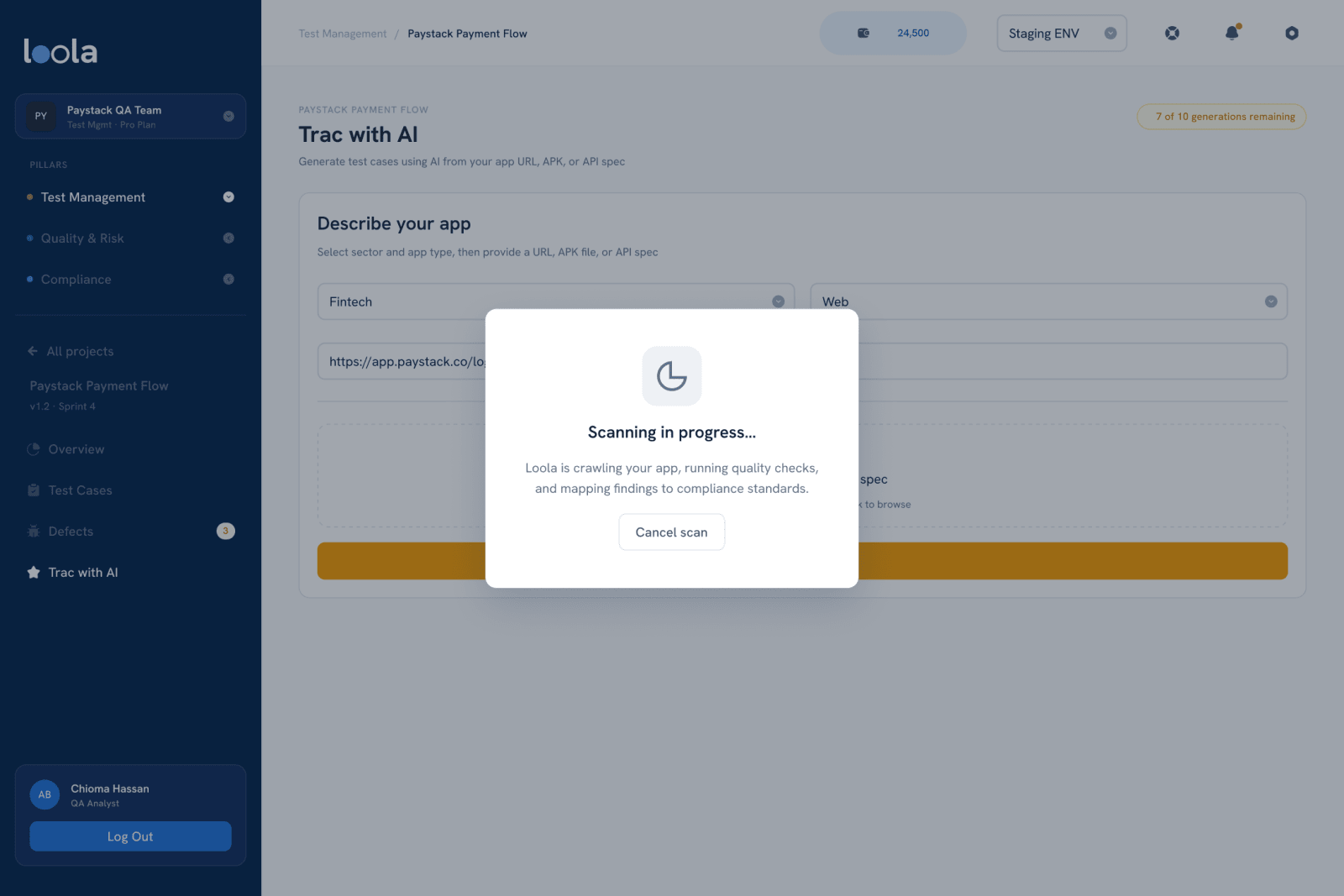
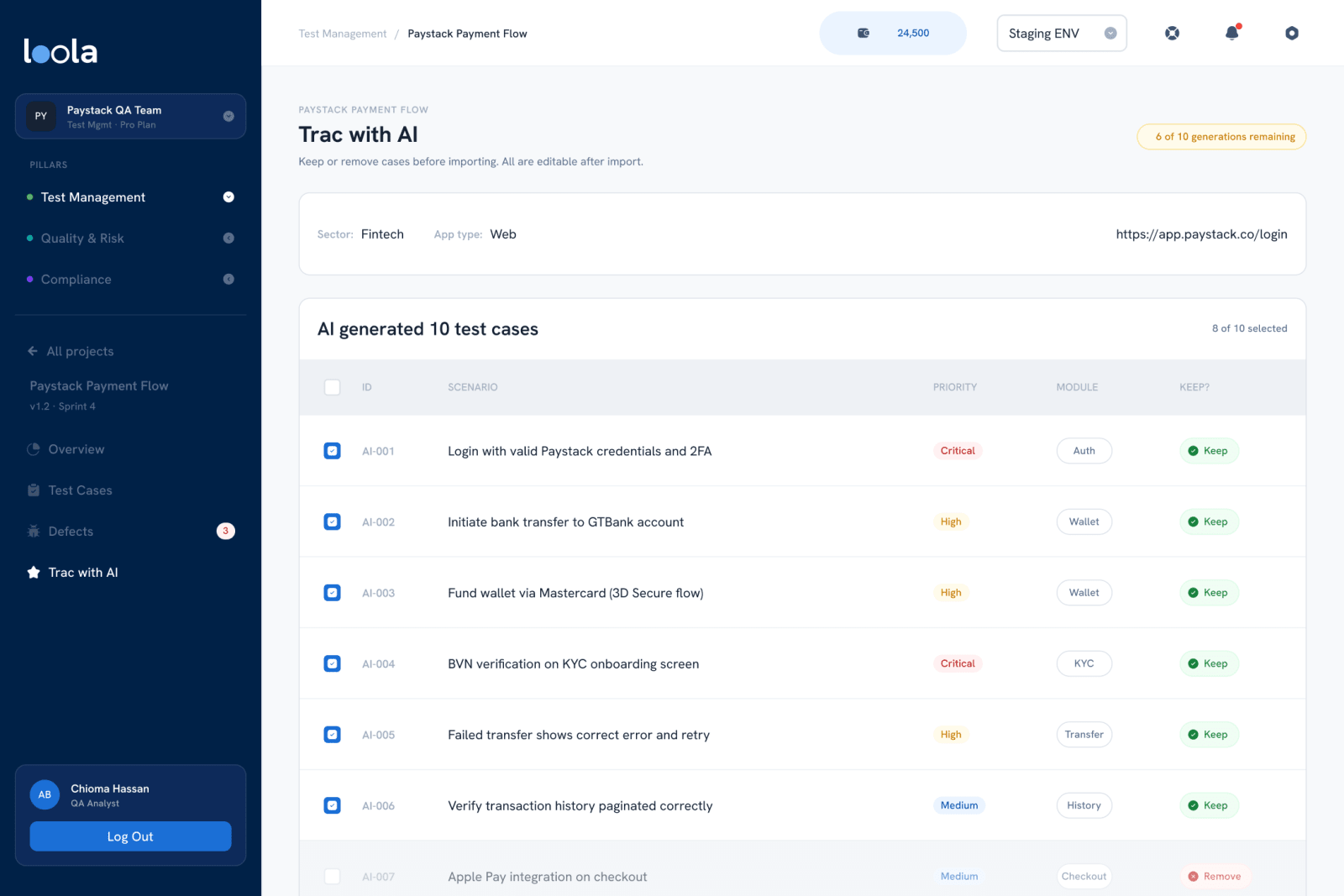
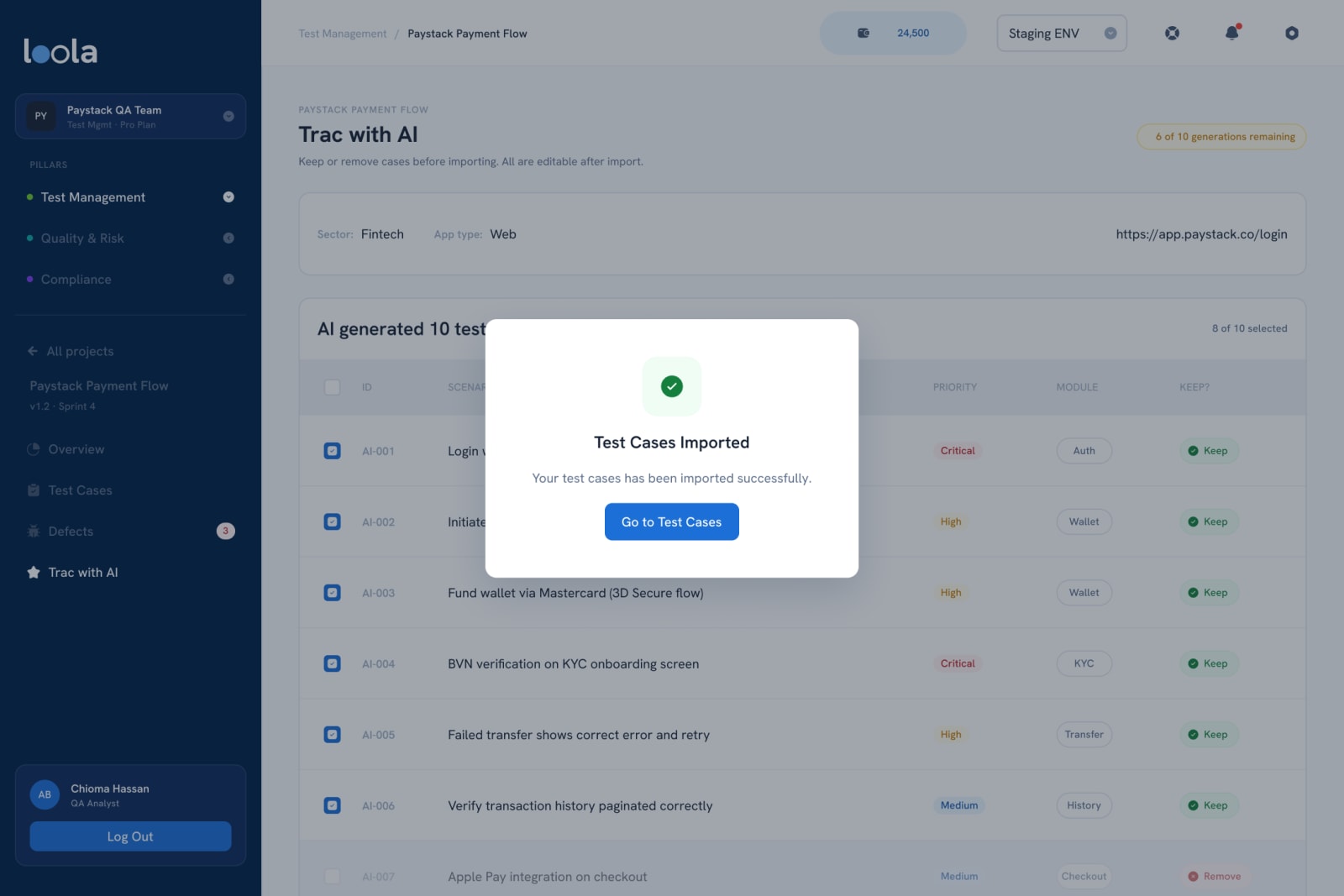
In Trac with AI. You describe your app with a URL, an APK or an OpenAPI spec, and Loola generates test cases for it. I designed the results as a review step, not an import: every generated case shows its scenario, priority and module with Keep or Remove, and nothing lands in the project until you choose. Generations are counted on screen, so the cost is never a surprise.
What does day-to-day testing look like?
Thought for 2s
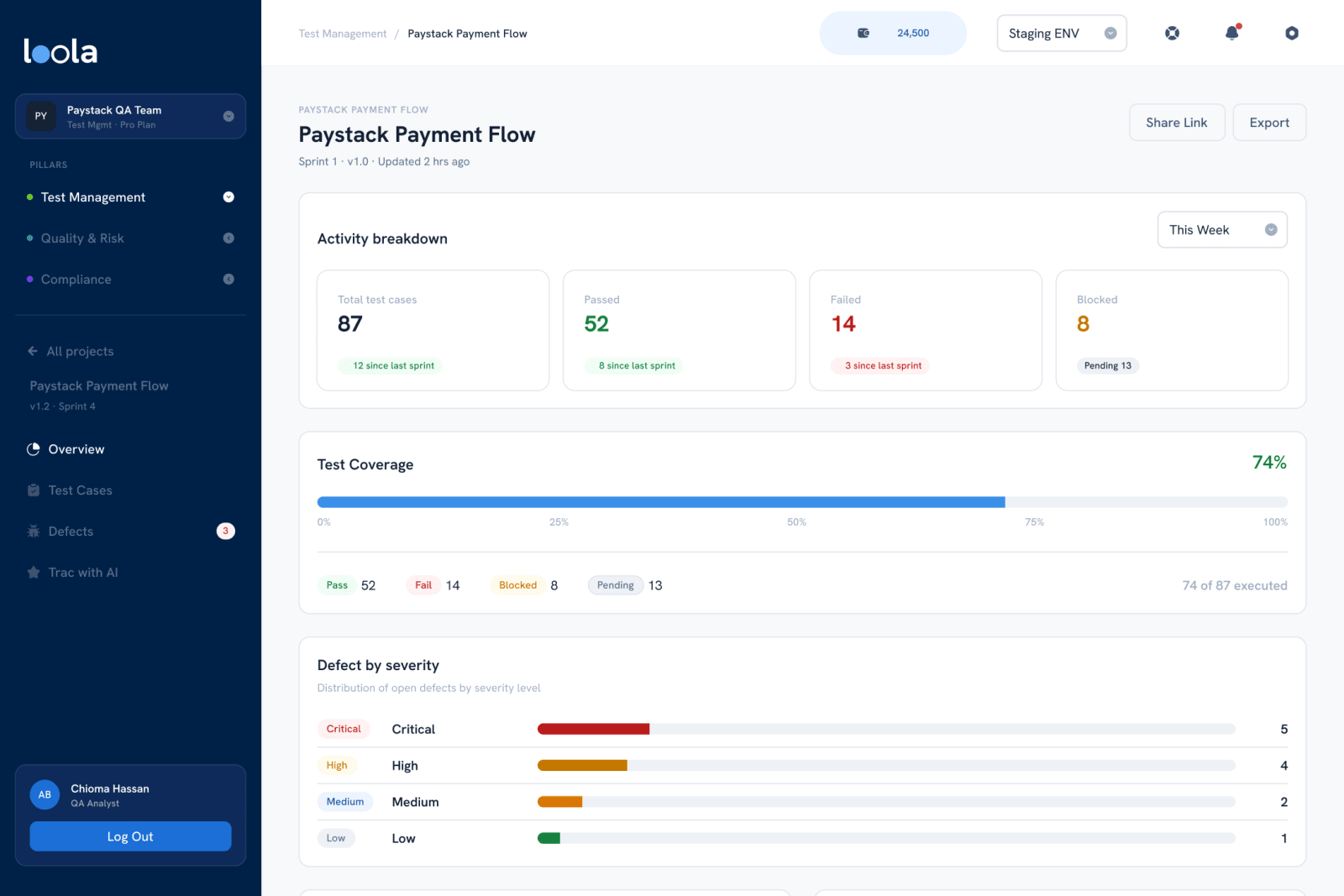
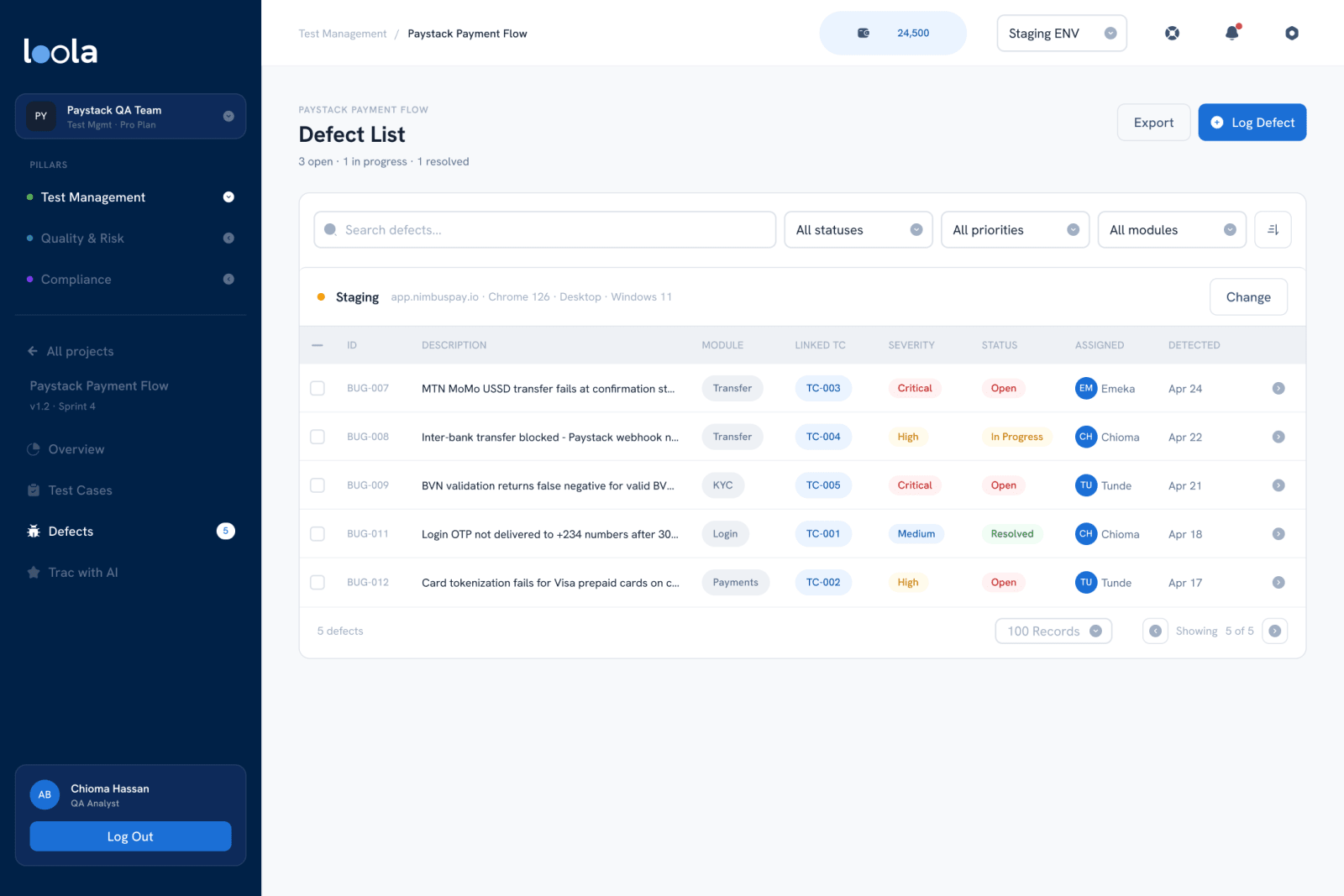
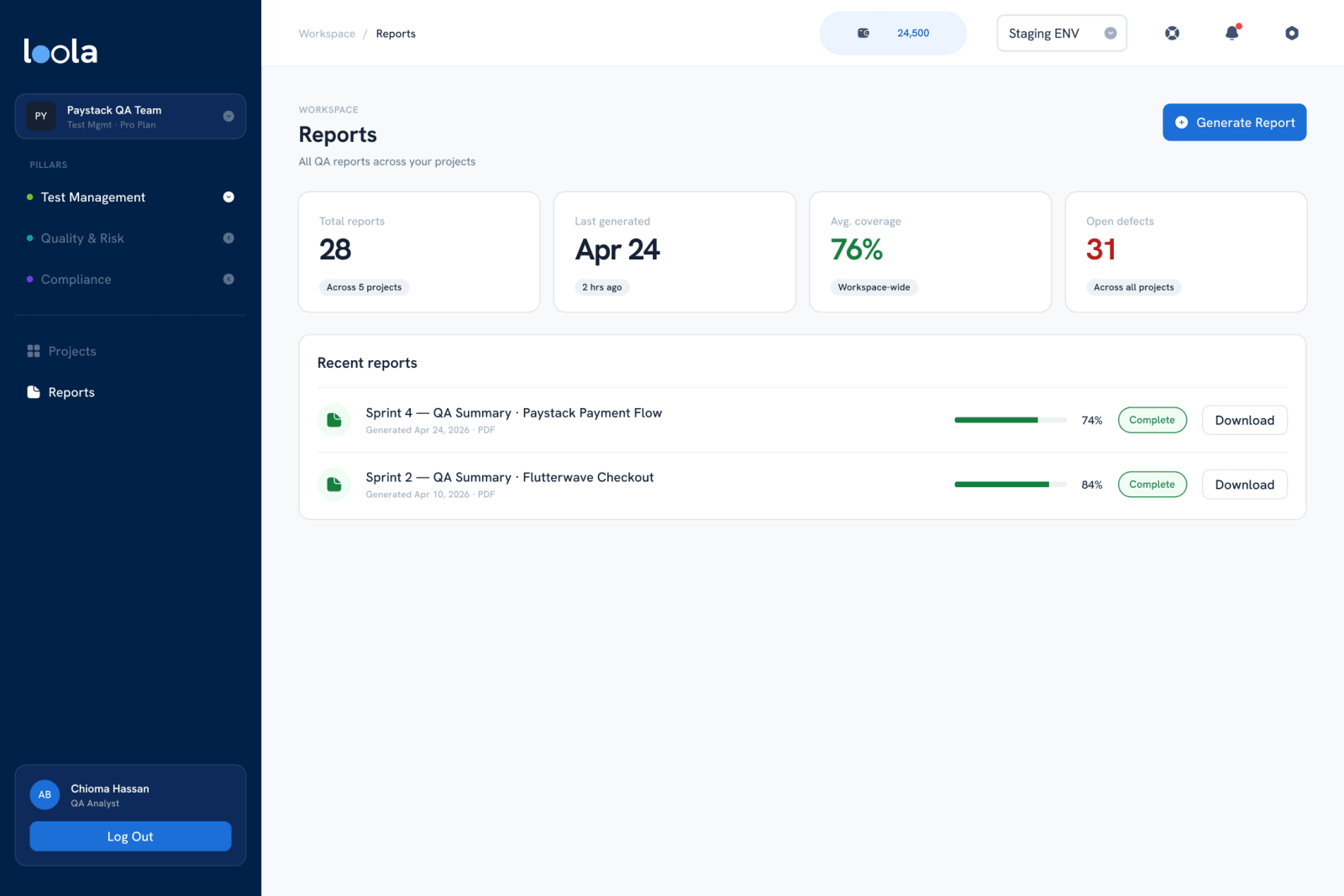
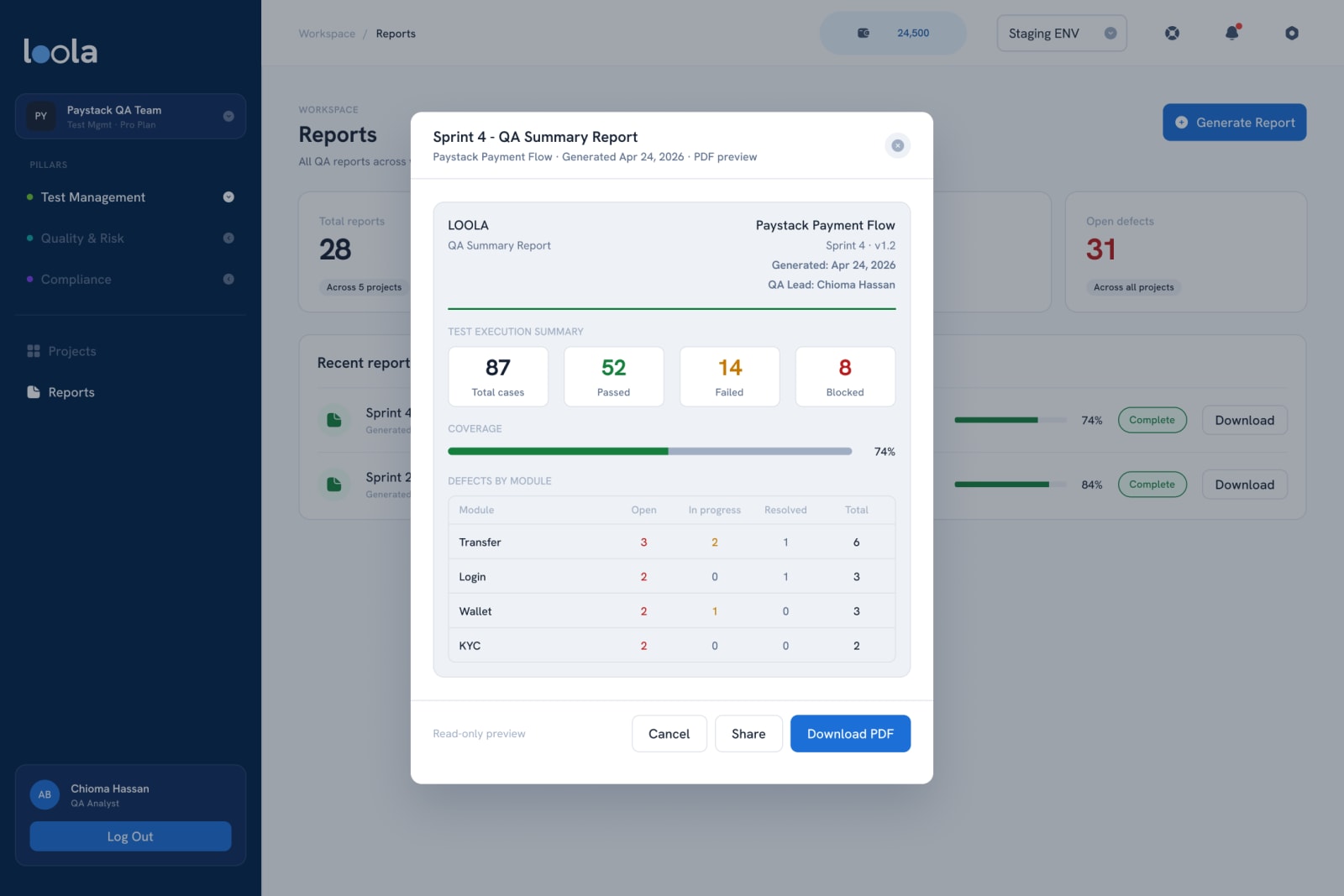
Each project opens on an overview: total cases, passed, failed and blocked, coverage against what's been executed, and defects by severity. Defects link back to the test case that caught them and carry the environment they were found in. At the end of a sprint, a QA summary report is a click away, previewed before it's downloaded as a PDF.
How does a scan work?
Thought for 3s
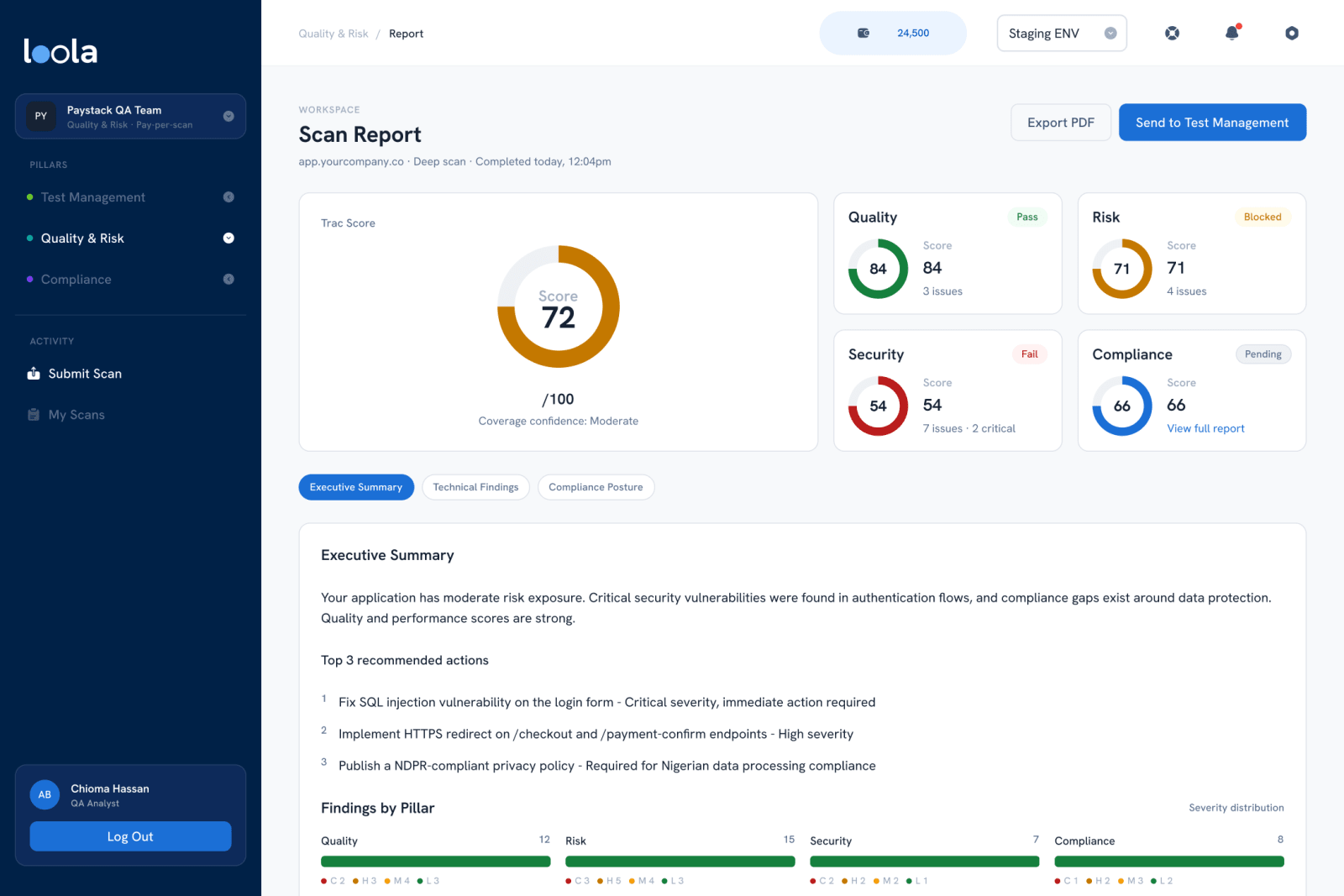
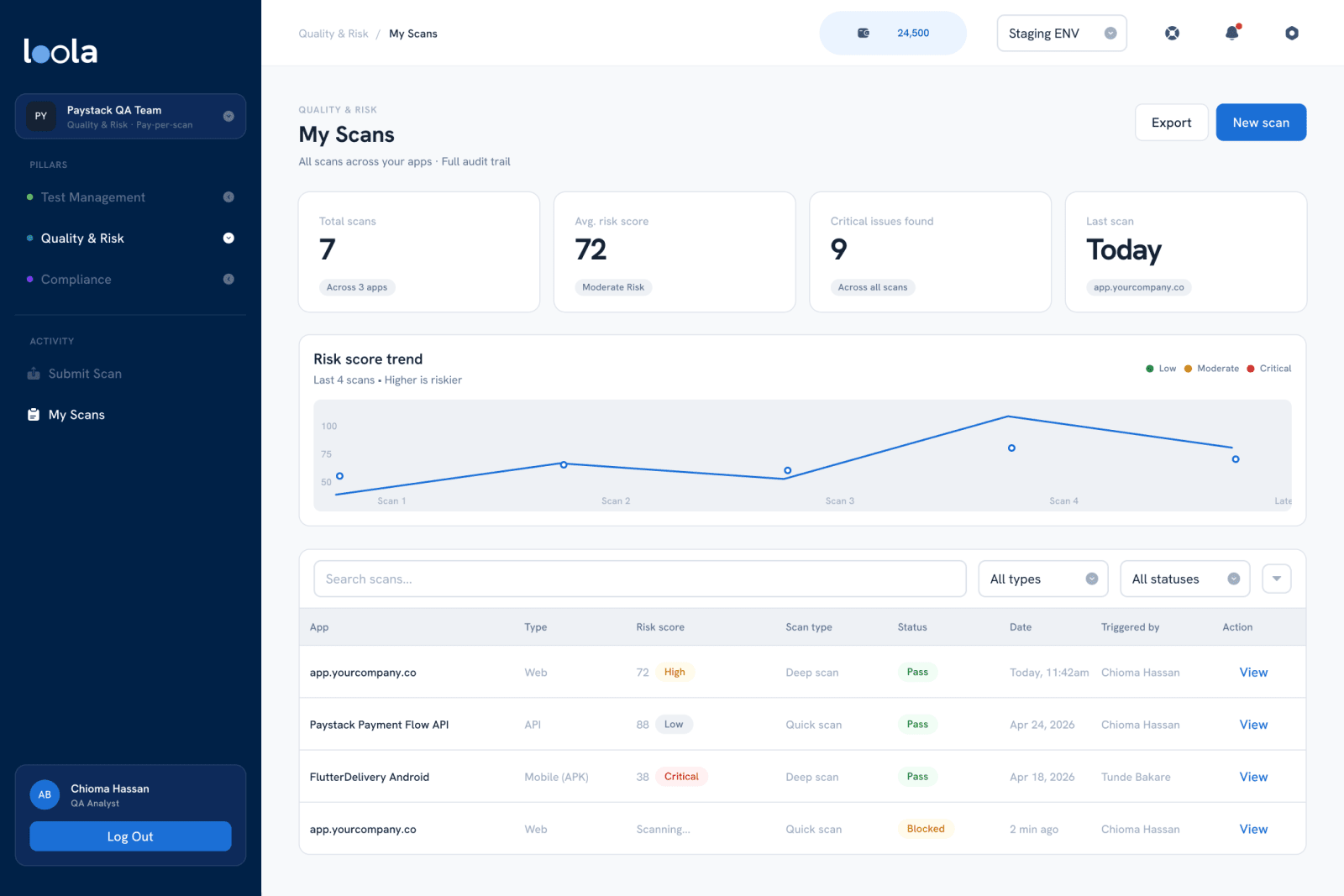
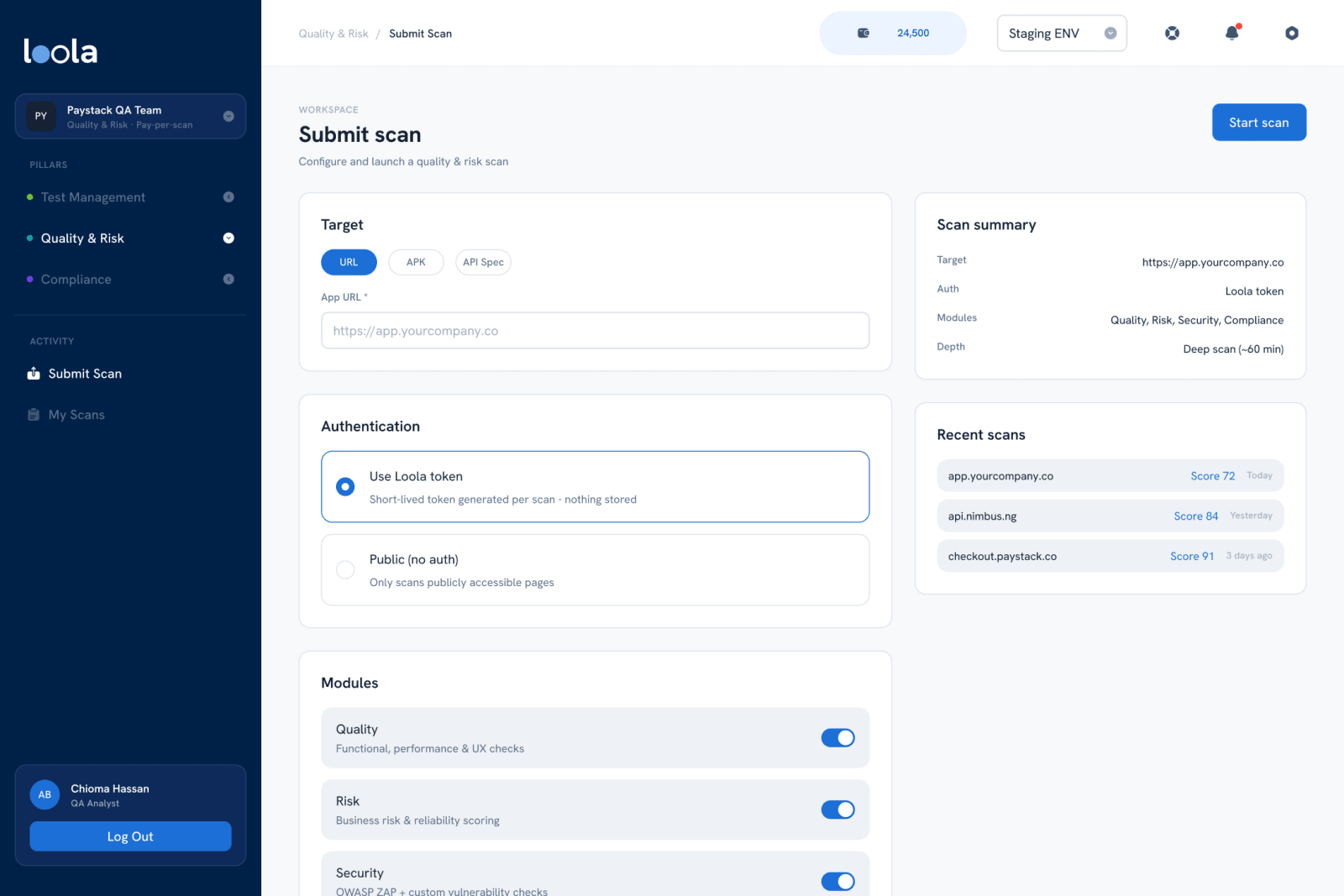
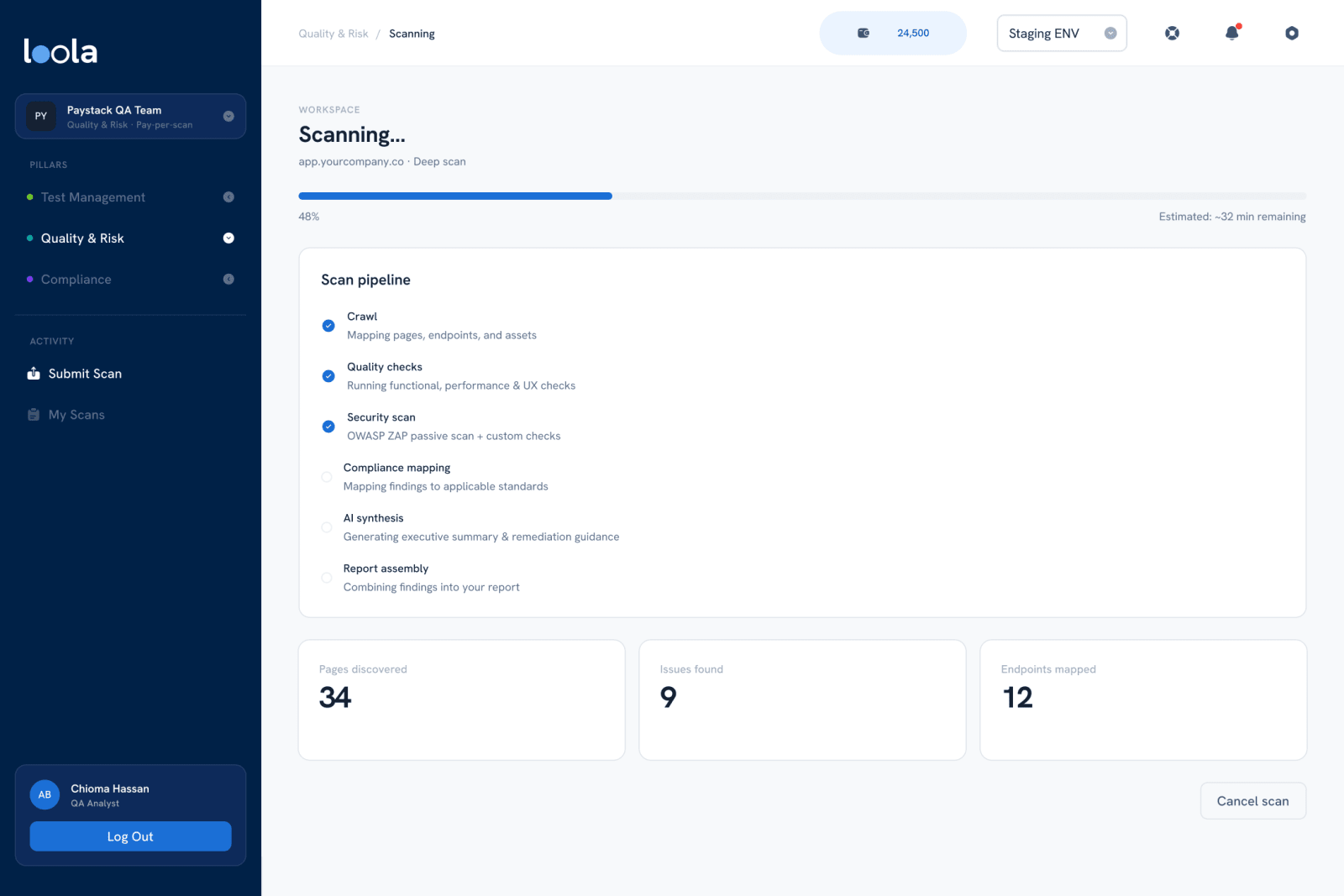
You pick a target (a URL, an APK or an API spec), choose how Loola signs in, and toggle the modules: quality, risk, security and compliance. While it runs, the scan shows its pipeline step by step (crawl, quality checks, security scan, compliance mapping, AI synthesis, report assembly) with pages, issues and endpoints counted live, so a long scan never looks stuck.
What does the report tell you?
Thought for 4s
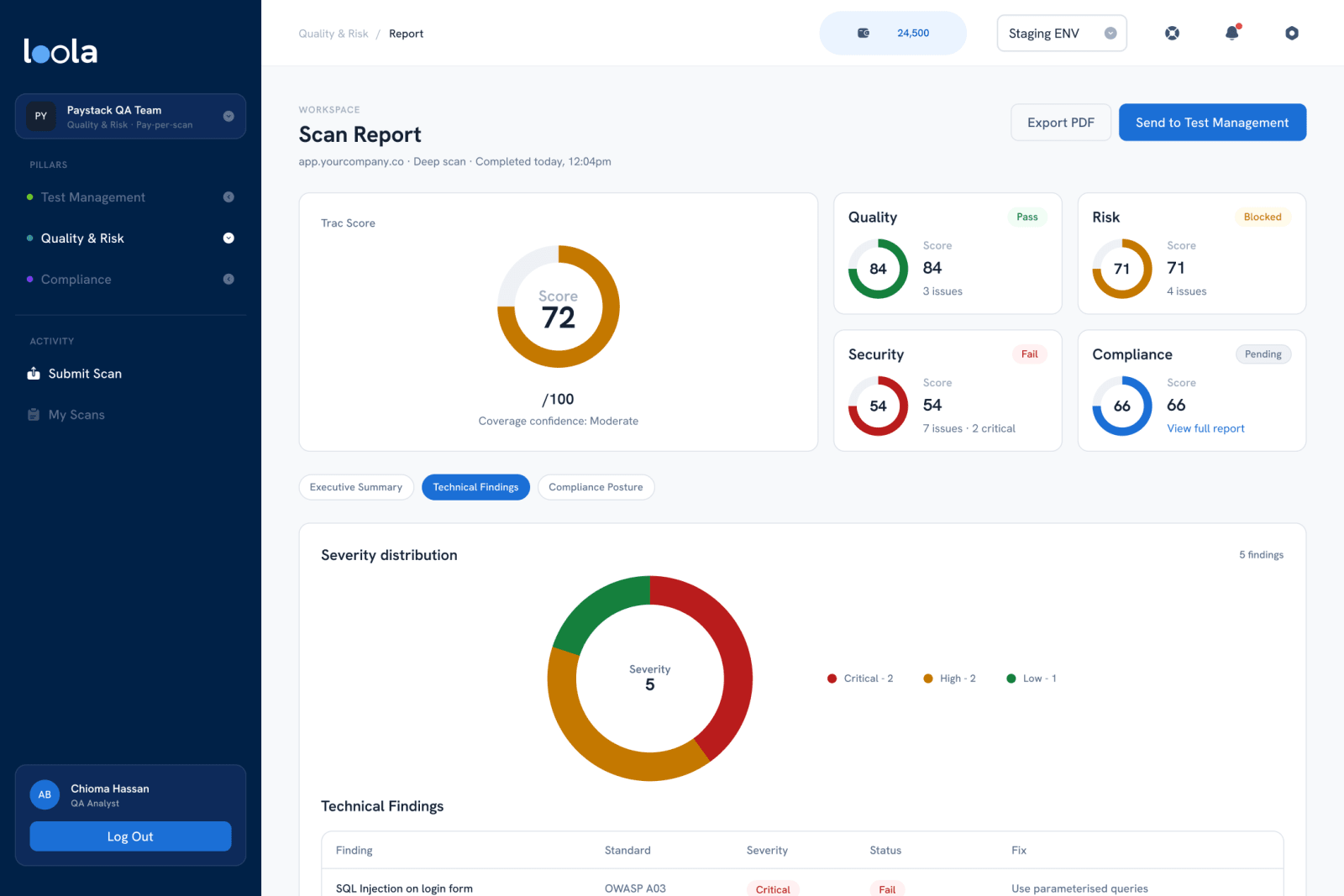
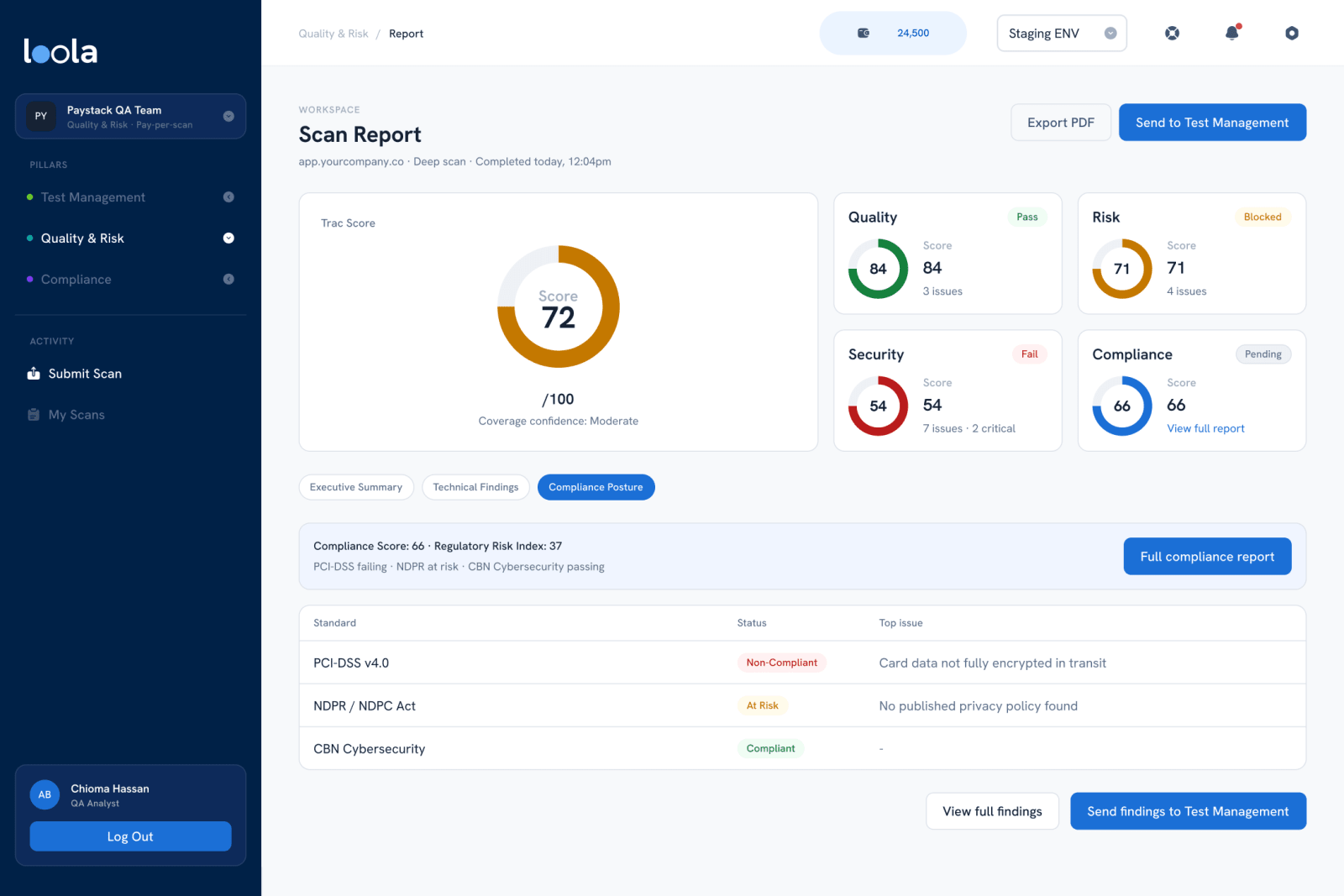
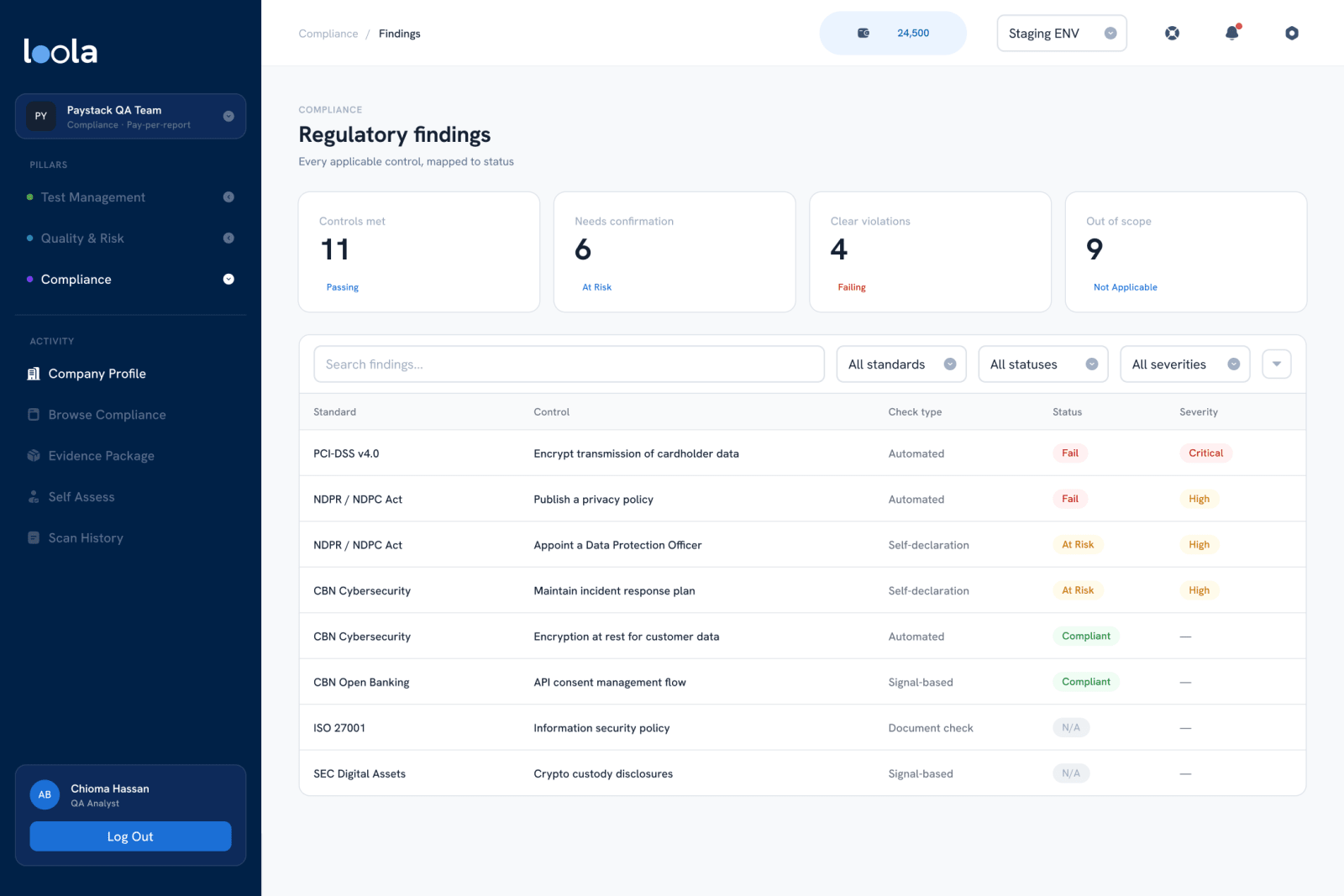
It leads with a Trac Score and a score for each pillar, plus how confident the score is. Below that, an executive summary ends in the top three actions, ranked by what matters most. Technical findings map to standards like OWASP and CVEs with a fix for each, and the compliance posture shows which regulations are failing. Every finding can go straight to Test Management.
How do you make compliance less intimidating?
Thought for 2s
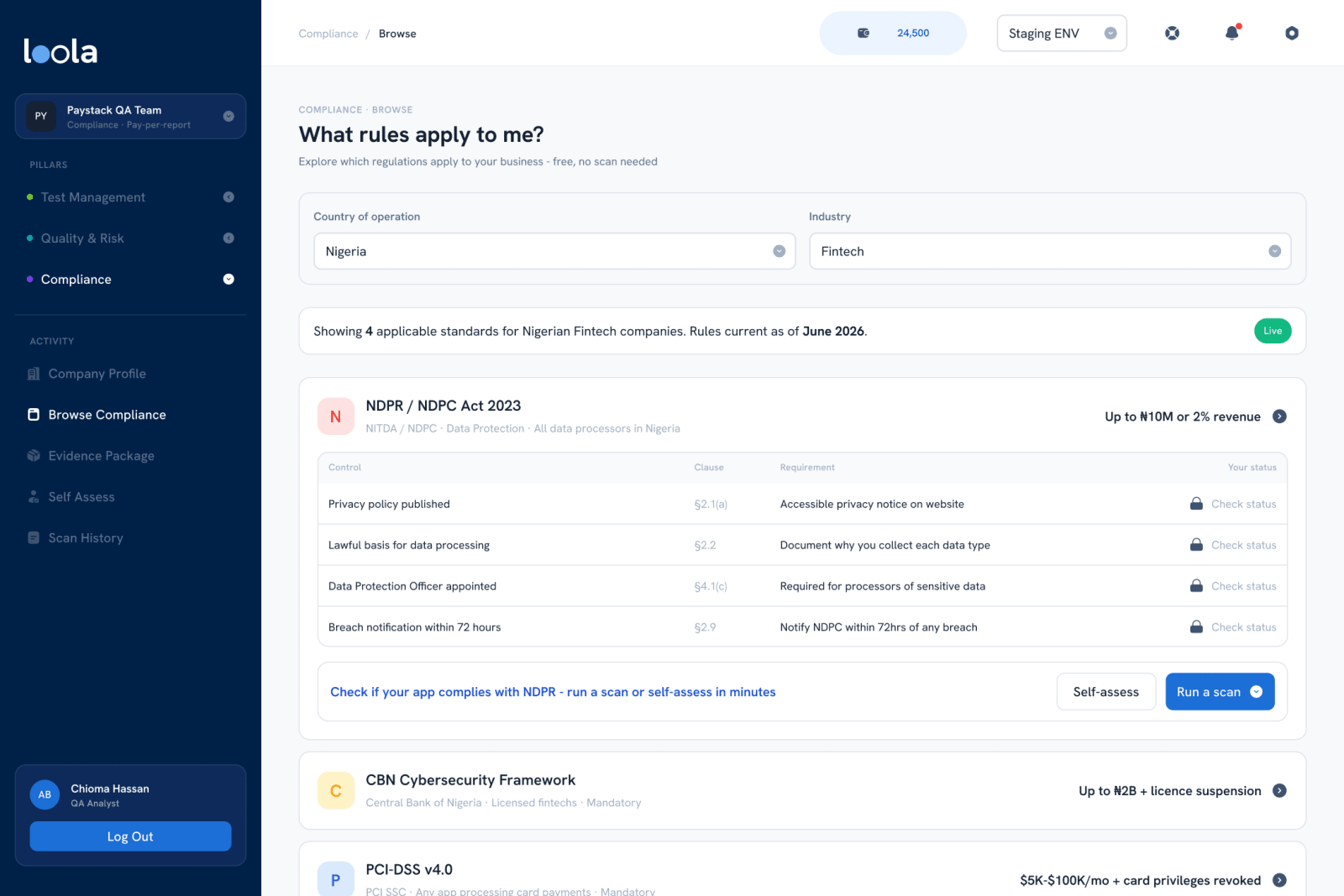
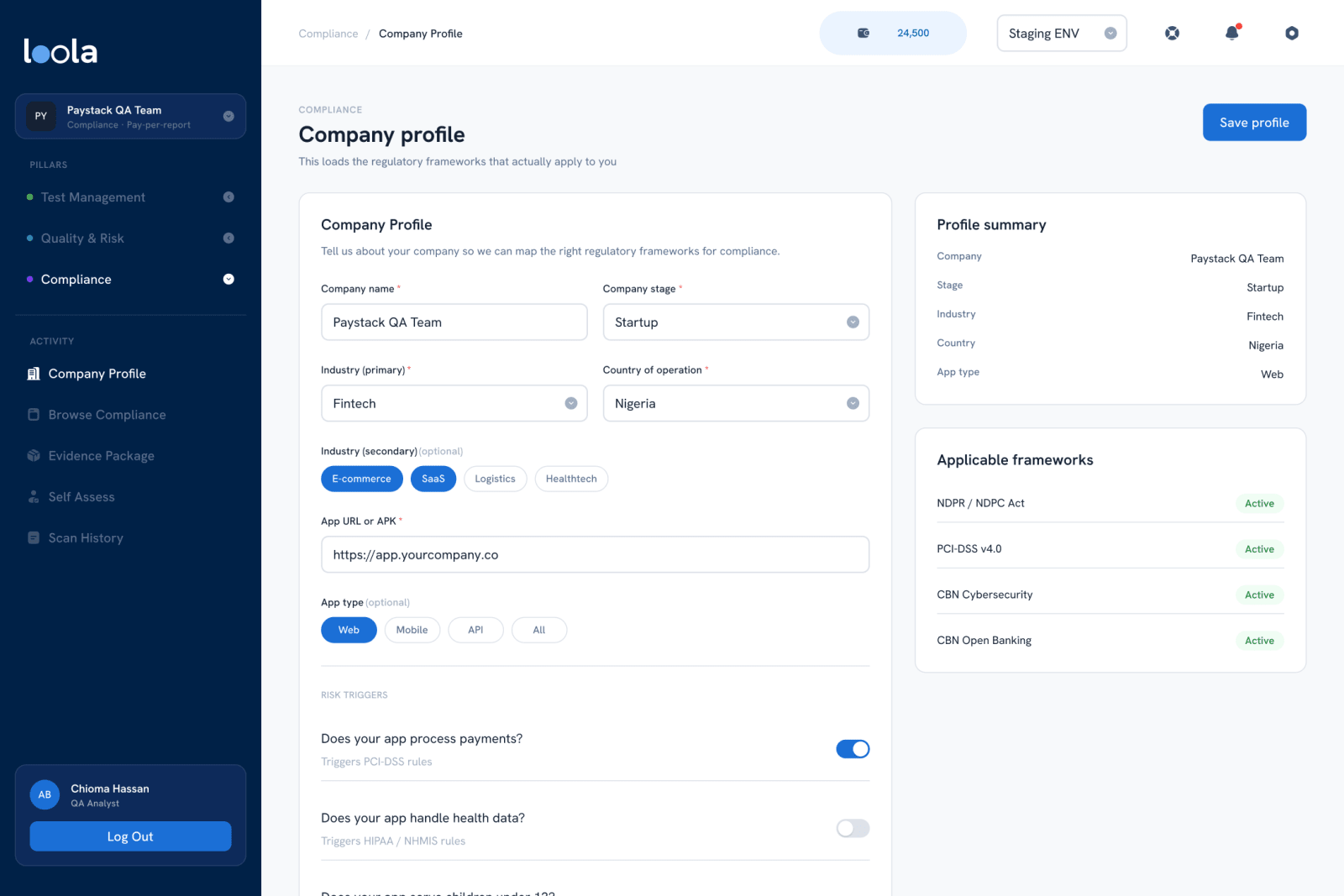
By starting with the question teams actually ask: what rules apply to me? Choose a country and an industry and Loola lists the frameworks, their controls and what failing them costs, free, before any scan. A short company profile sharpens it: process payments and PCI-DSS applies; handle health data, serve children or operate in the EU and other rules join. Try the logic below.
Applicable frameworks
- NDPR / NDPC Act
- CBN Cybersecurity Framework
- CBN Open Banking
- PCI-DSS v4.0
Mirrors the triggers on Loola's Company Profile screen. An illustration of the design, not legal advice.
How does it help when the auditor arrives?
Thought for 3s
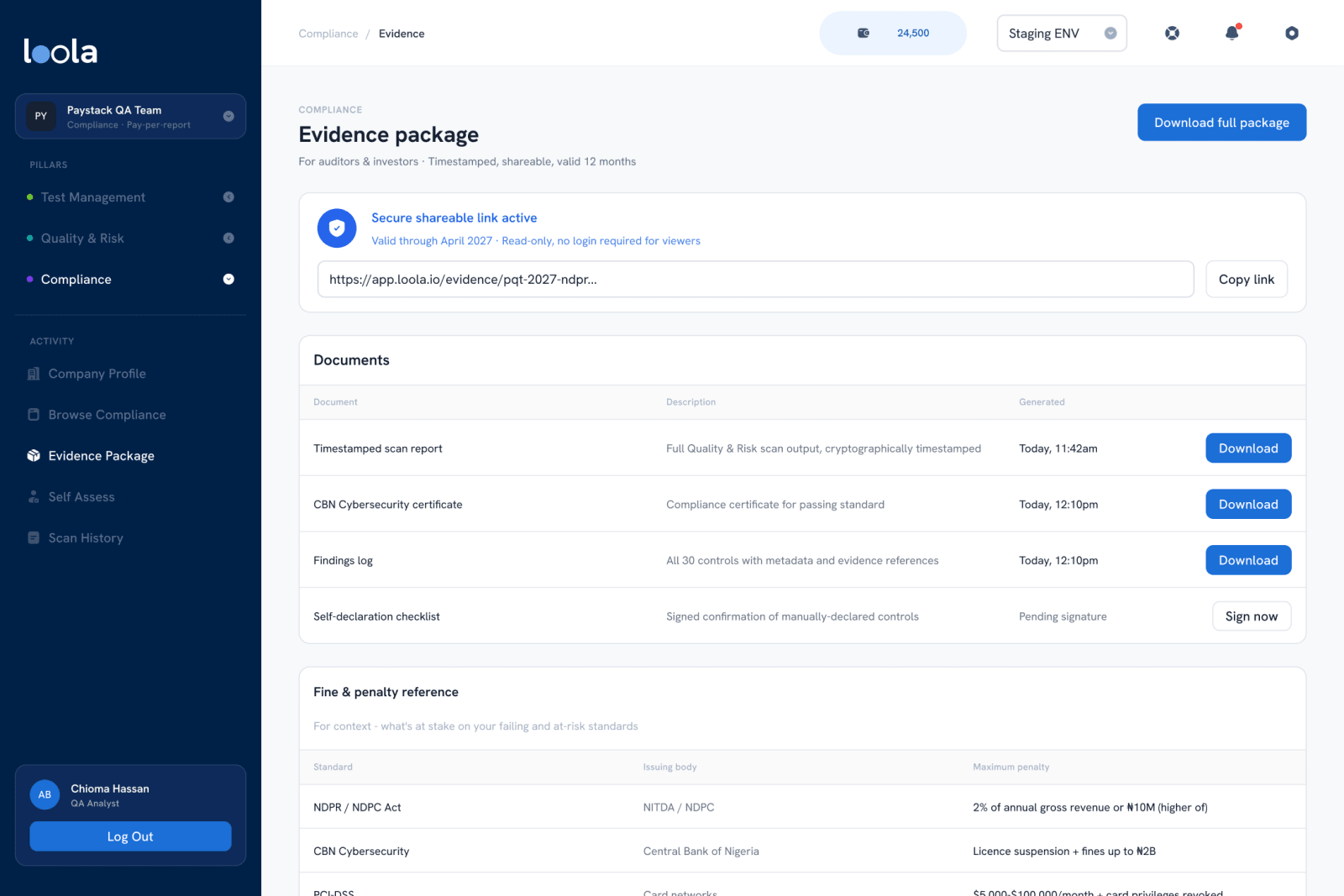
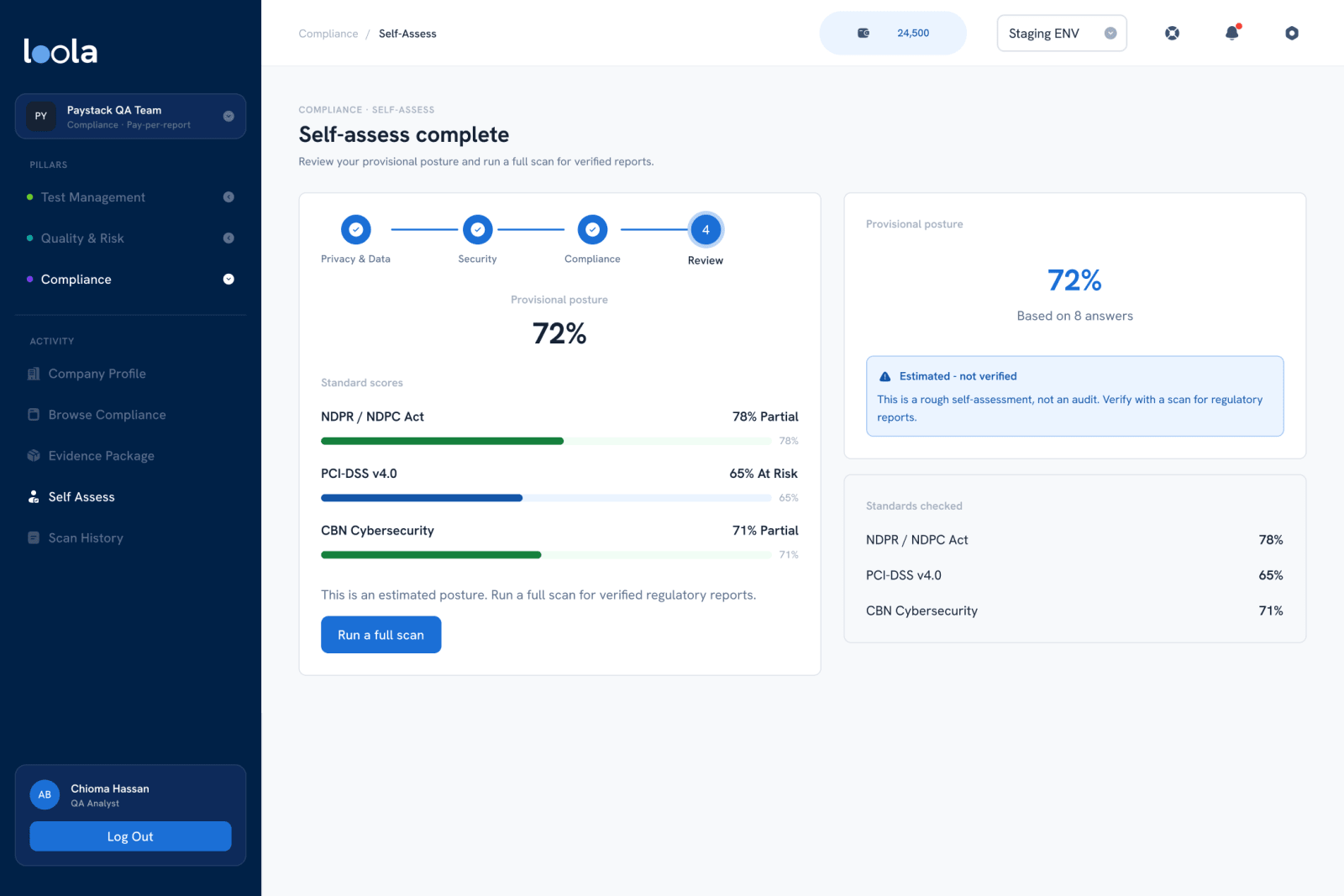
An evidence package gathers the timestamped scan report, certificates and the findings log behind a shareable, read-only link for auditors and investors. And where Loola can't verify something, it says so: the self-assessment gives a quick provisional posture in a few questions, labelled "Estimated, not verified" until a full scan confirms it.
How did you build a design system from one logo?
Thought for 4s
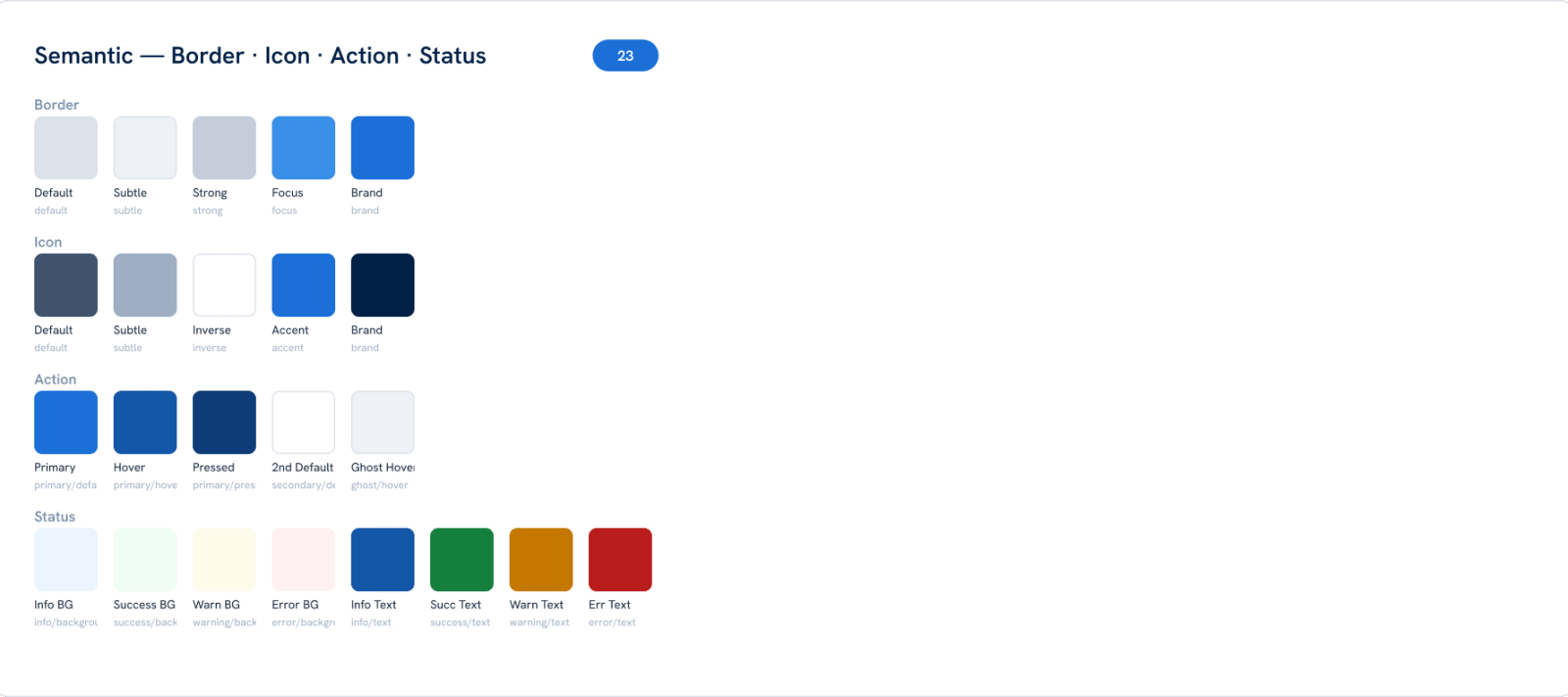
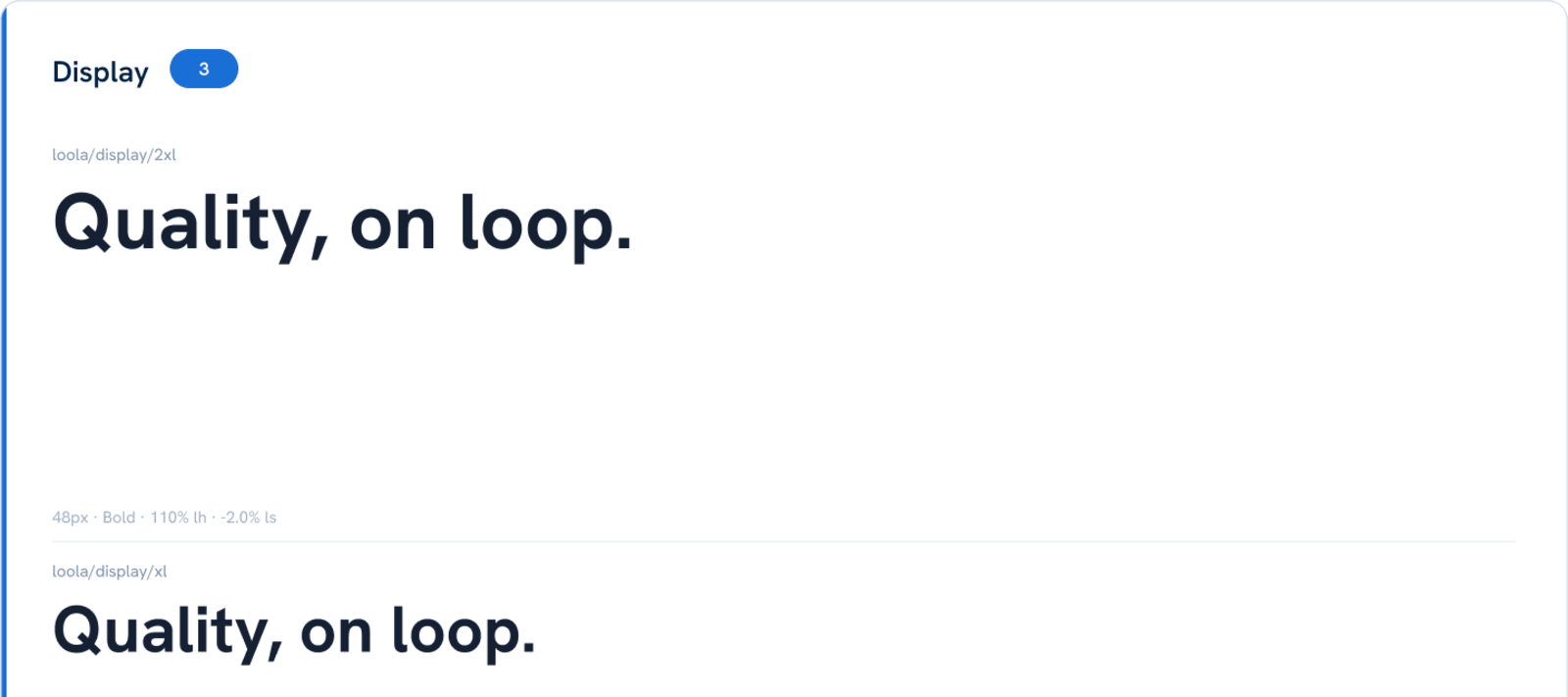
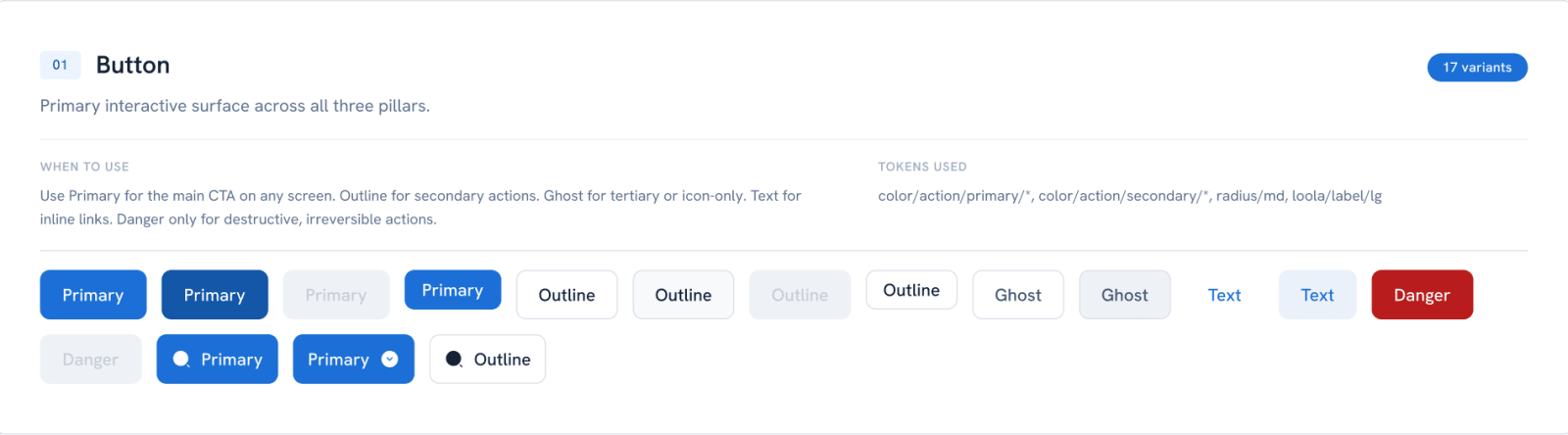
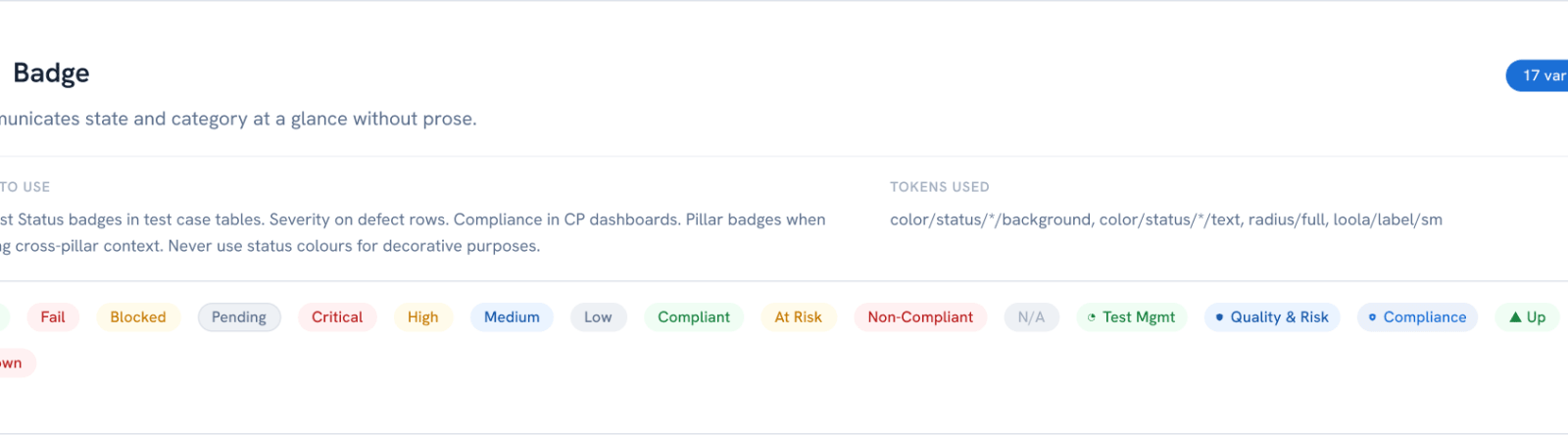
I started from the existing logo and grew everything else from it. Its blues became a primitive scale, then semantic tokens (border, icon, action, status), so a status colour means the same thing on every pillar. Type pairs the UI face with IBM Plex Mono for code and IDs. Each component is documented with when to use it and which tokens it uses, and one badge set covers test status, severity, compliance state and pillar. That system is what kept 75 screens consistent.

- semantic colour tokens
- 33semantic colour tokens
- spacing steps
- 14spacing steps
- badge variants for status, severity and pillars
- 17badge variants for status, severity and pillars
What would you take into the next product?
Thought for 2s
That a platform with several products inside is held together by the connections between them, not by any one screen. That AI output should arrive as a review, not a fait accompli. And that a compliance tool earns trust by being honest about what it can't verify yet.
- Design the loop, not the pillarsThe send-to-tests button matters more than any dashboard.
- AI proposes, people decideGenerated test cases are kept or removed before they count.
- Answer the real question first"What rules apply to me?" before any scan or sign-off.
- Label estimates as estimatesA provisional posture says so until a scan verifies it.
Thinking
The scripted part of this conversation carries the verified facts. Live answers only use what's on this site.